
#1 childcare software
Your operational partner,
built in brightwheel.
Your operational partner,
built in brightwheel.
Brightwheel AI is your built-in assistant. It spots what needs your attention, answers what you ask, and takes on more of the routine work over time. No separate tool or login. Completely optional.
Trusted by millions of educators and families





Stay ahead. Get answers. Save time.

Stay ahead of what needs attention
Brightwheel surfaces what’s worth a look, before it turns into a fire drill.
Get answers fast
Ask, and get an answer pulled straight from your program’s real data. No hunting, no guessing.

More time to focus on what matters
Brightwheel AI takes more of the mental load, so you spend less time behind a screen.

You stay in control
Brightwheel AI is optional, scoped to your program’s own data, and never acts without your approval.
Stay ahead of what needs attention
Brightwheel surfaces what’s worth a look, before it turns into a fire drill.
Get answers fast
Ask, and get an answer pulled straight from your program’s real data. No hunting, no guessing.
More time to focus on what matters
Brightwheel AI takes more of the mental load, so you spend less time behind a screen.
You stay in control
Brightwheel AI is optional, scoped to your program’s own data, and never acts without your approval.
See what’s inside brightwheel AI
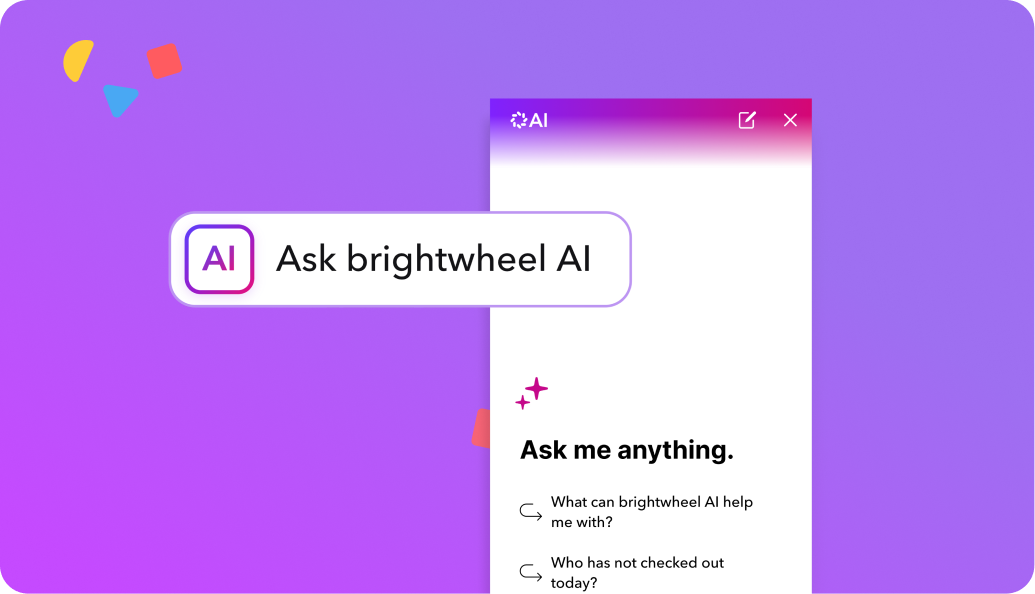
- Your assistant answers questions about your program’s billing, enrollment, attendance, staff-to-child ratios, rosters, staff, and contacts.
- Ask the way you’d ask a coworker: “How many children are enrolled this month?” “Which families are behind on tuition?” “Which rooms are out of ratio right now?”
- Every answer is pulled from your program’s live brightwheel data, not a generic web result.
- Ask follow-up questions in the same conversation to dig deeper on anything.
- Give a thumbs up or down on any answer, or copy it to send to your team.
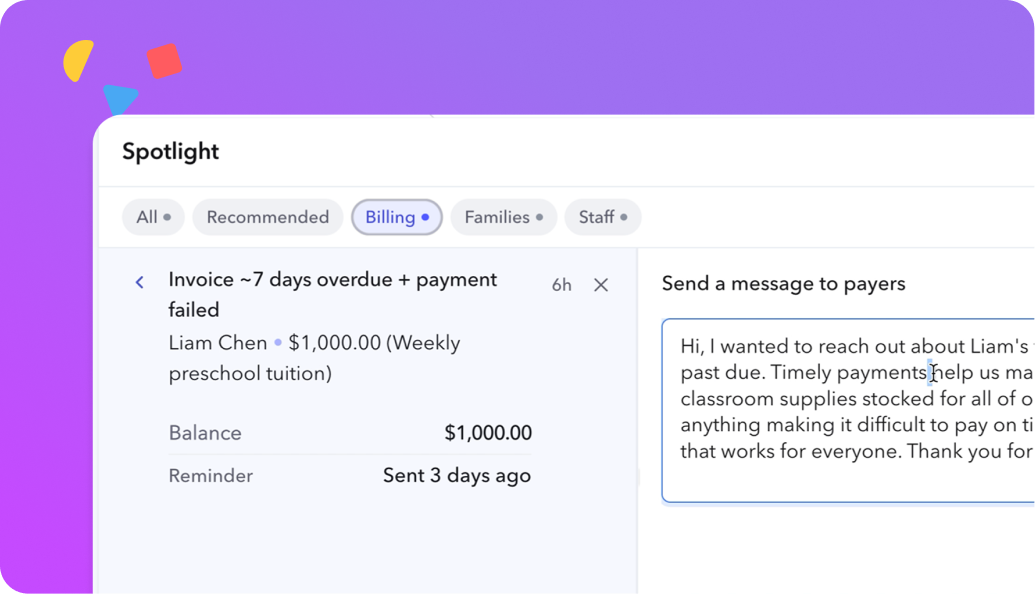
- Flags what’s worth a look across billing, enrollment, staffing, admissions, and compliance.
- Surfaces issues before they turn into a problem you find out about the hard way.
- Stays on your homepage with suggested questions — even when there’s nothing flagged.
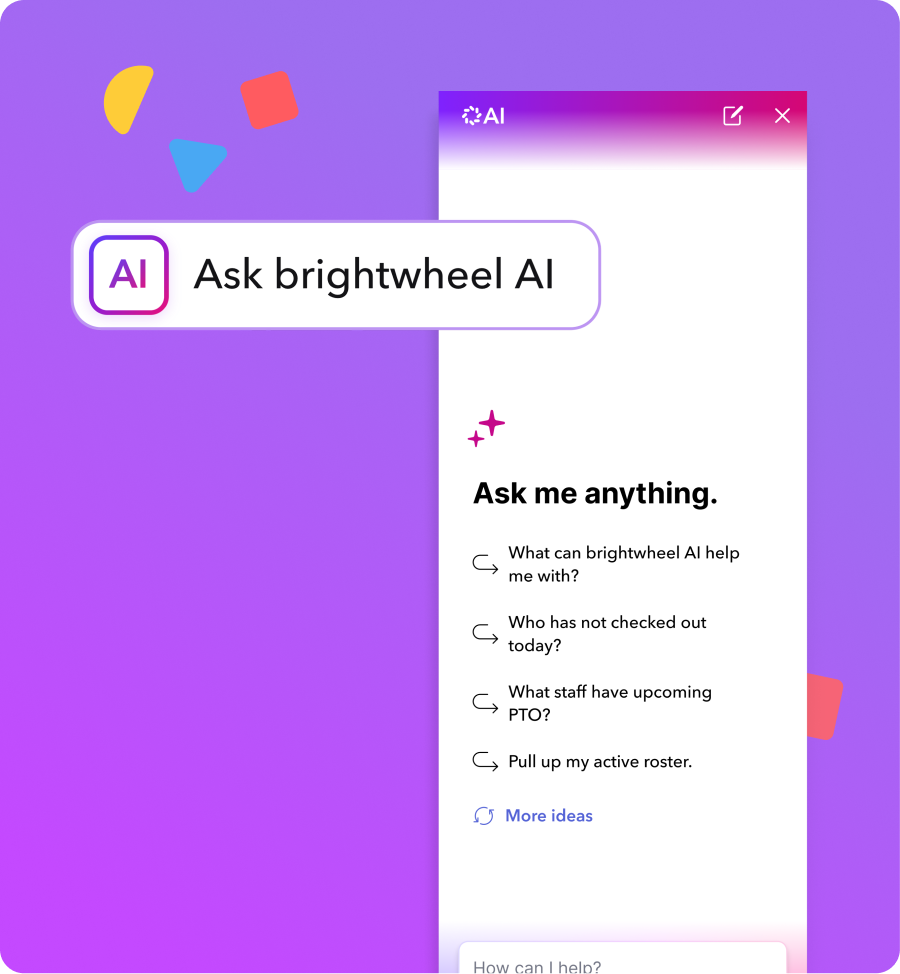
- Primary nav icon — “How can I help you today?” available from any page, any time.
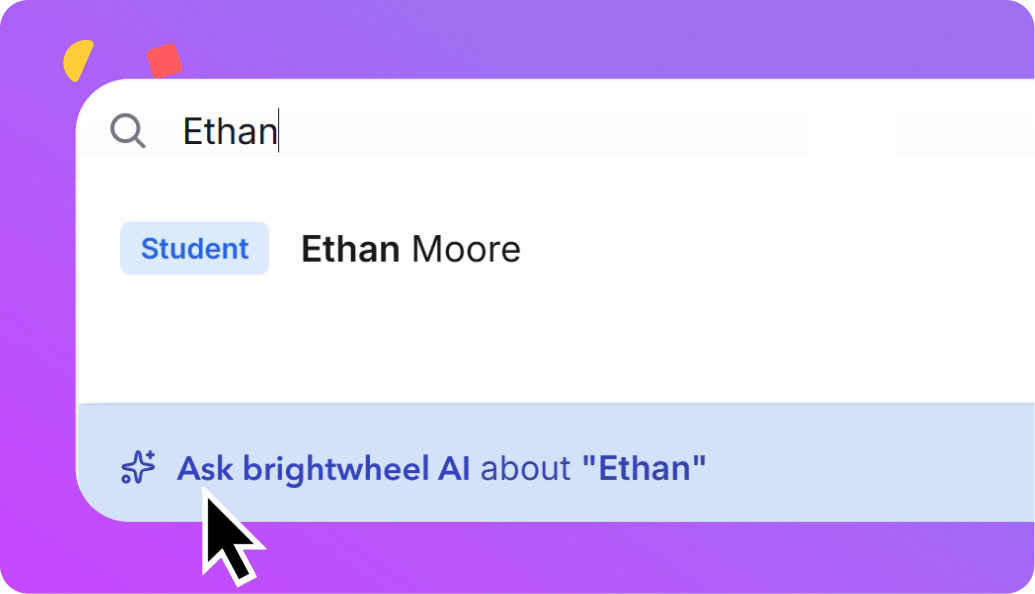
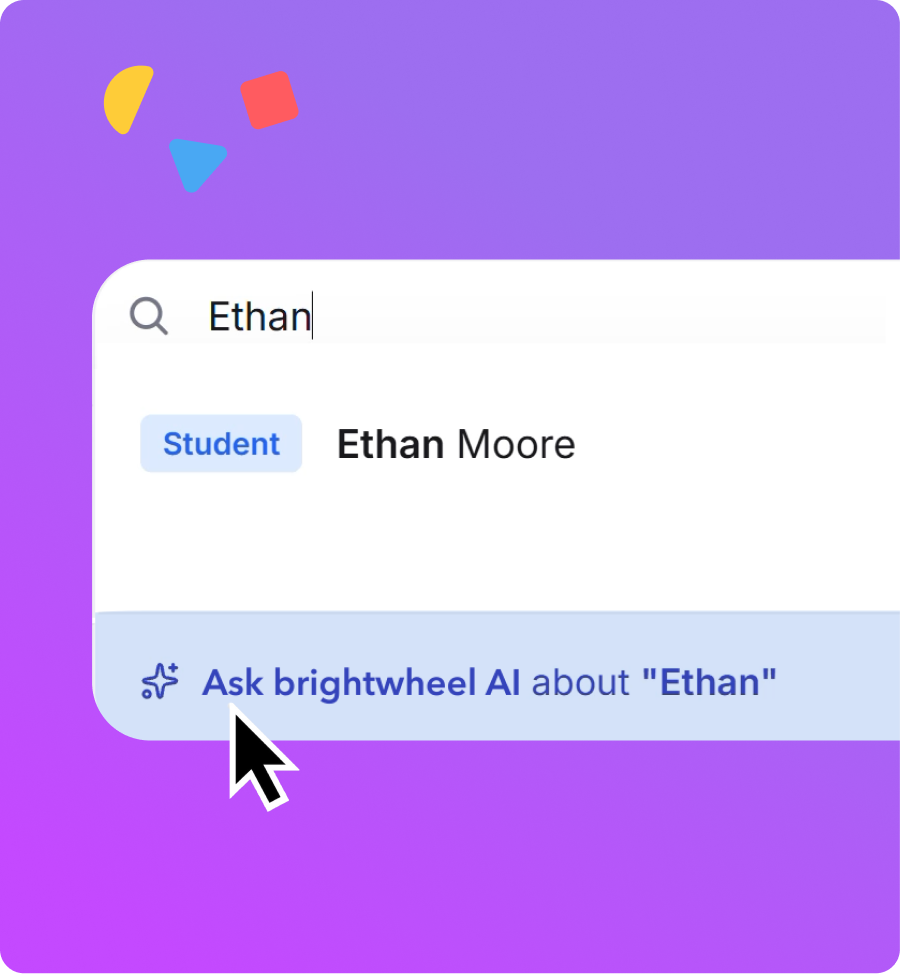
- Universal search — ask a question directly from the search bar.
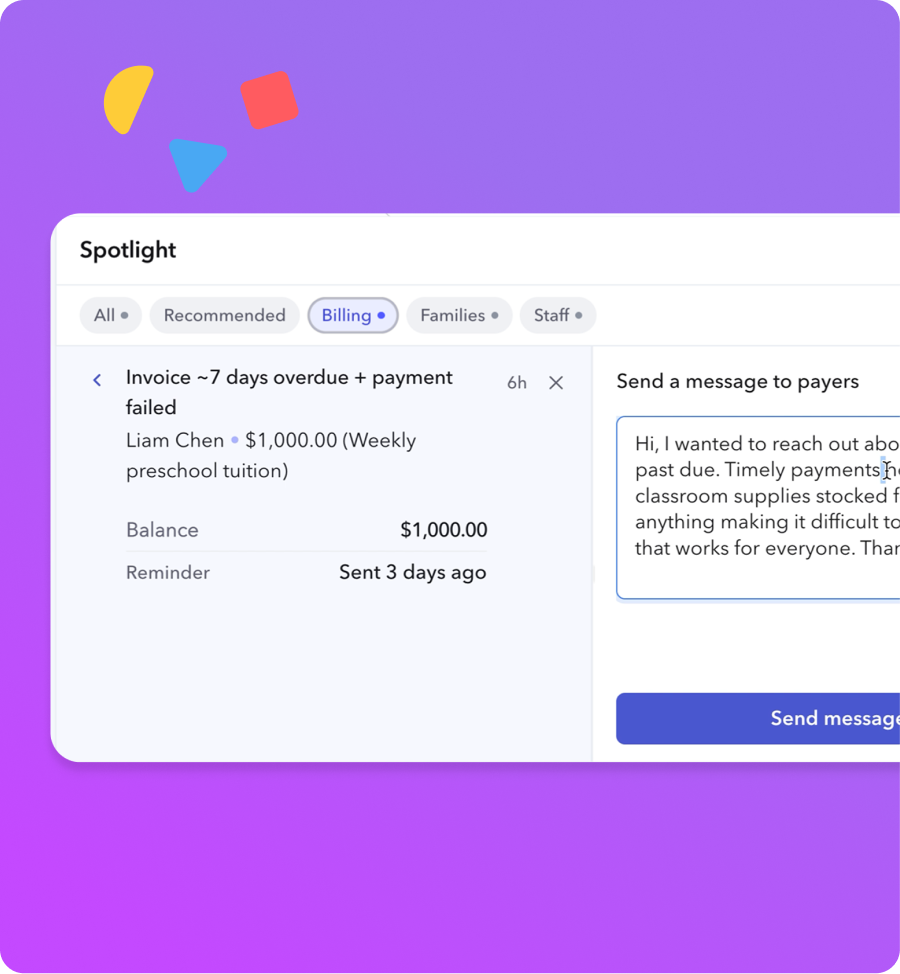
- Spotlight — contextual entry point on any alert.
- Suggested questions that adapt to the page you’re already on.
See your savings with brightwheel
What running things manually is actually costing you
Based on typical center operations — adjust inputs to personalize.
Almost there
Your results are ready
Enter your details to unlock your personalized savings breakdown.
By submitting this form, you agree that brightwheel may contact you by phone call, SMS, or email at the contact information you provide, including by use of automated technology, prerecorded messages, or AI-assisted systems, for marketing and informational purposes consistent with our Privacy Policy. Message and data rates may apply. Message frequency varies.
Your savings estimate
Here’s what brightwheel could save you
Your time and money are going further than you think. Here’s where it goes — and what you get back.
Estimated monthly savings
Admin time + paper + late payment friction
Check-in & sign-out
0.0
hrs / month
Chasing late payments
0.0
hrs / month
Forms & admin
0.0
hrs / month
Paper & printing
$0
/ month
Late payment cash flow
$0
delayed / month
Annualized savings
$0
/ year
Most programs recoup this in their first billing cycle
Brightwheel automates check-in, billing, and family communication — so you stop spending time on things software should handle.
Get a demo — it’s freeNo commitment. Cancel anytime.
Feature Highlight
See brightwheel AI in action

Frequently asked questions about brightwheel AI
Brightwheel AI is a built-in feature of brightwheel, not a separate product, tool, or login. It acts as your school’s built-in operational partner. It answers questions about your program using your own data — no separate tool or login required.
Operational questions grounded in your school’s own data — billing, enrollment, attendance, ratios, rosters, staff, and family contacts. For example: “Are my room ratios OK right now?” or “Which families aren’t enrolled in autopay?”
It says so plainly and points you to the closest alternative where one exists.
Spotlight surfaces what needs your attention before you’d think to look for it. It’s seamlessly connected to brightwheel AI, acting as a proactive layer to get ahead. Select “Why am I seeing this?” to see the data behind any alert, explained in plain language using your school’s actual numbers.
Completely. You don’t have to use any AI features if you don’t want to.
Look for the AI label with gradient branding. It’s always clearly marked, and always optional.
No. Brightwheel AI only accesses data you already have permission to see, scoped to your account.
Answers are grounded in your school’s actual data, not generic responses. We still recommend reviewing anything before acting on it.
Brightwheel AI is available on the web version only today. We’re exploring mobile capability, with no timeline to share yet.
Brightwheel AI answers are per site today — switch into each program’s account to ask about that location.
Brightwheel AI is the only one that watches and answers.
Most AI tools wait for you to ask. Brightwheel AI does that, and it also flags what you didn’t know to look for — one connected experience, not two separate tools stitched together. Think of it like a proactive office assistant who is always one step ahead. Other ECE AI tools stop at one job — enrollment, room capacity, or drafting text. Brightwheel AI answers across billing, enrollment, attendance, ratios, rosters, staff, and family contacts, because brightwheel already runs all of it.
Review the latest insights and resources about childcare payroll and time tracking
AI Impact on Education: Myths vs. Reality
Understand the common myths about the AI impact on education and how the new technology is changing learning and classrooms.
The Pros and Cons of AI in Education
Discover how artificial intelligence is transforming education, balancing opportunities for innovation with potential challenges.
AI in Education: Transforming Early Childhood Learning
Discover how AI in education is transforming early childhood learning with personalized teaching, assistive technology, and more.
See what running things manually is actually costing you
Time, paperwork & printing, and late payments add up fast. See what it’s costing you — and how much you could save.
Based on typical center operations — adjust inputs to personalize.
See how much you could save with a digital solution
Here’s where your time and money are going every month — and what switching to brightwheel puts back in your hands.
Estimates reflect separate, non-overlapping tasks.
Estimated monthly savings = time on admin tasks × hourly rate + paper costs. Late payment cash flow is shown separately.
Check-in/out: (children × 1.25 min × 2 directions × 22 days) / 60.
Late payment follow-up: late families × billing mins / 60 (Cash/check: 15 min, Mix: 10 min, Venmo: 7 min).
Forms & admin: ((15 min/day) + (2 min/day × staff) + (1 min × children)) / 60, capped at 80 hrs/month.
Paper cost: children × $3/month. Annual savings = monthly × 12.
Subscription cost is excluded from this estimate.
Ready for a partner that keeps up with your school day?
See how brightwheel AI helps you stay ahead of what needs attention — grounded in your own program's data.
