
#1 childcare software
From first inquiry to
enrolled family
– all in brightwheel.
From first inquiry to
enrolled family
-all in brightwheel.
Capture every inquiry, know where each family stands, and see open spots ahead, all in one place.
Trusted by millions of educators and families





The enrollment pipeline built for childcare
Capture inquiries, schedule tours, manage your waitlist, and plan for future capacity — without leaving brightwheel.

Never miss a lead
Every website inquiry, walk-in, and referral lands in one place. Nobody gets lost.

Stay in control
See where every family stands and send consistent follow-ups at every stage.

Plan ahead
View open spots by room and week, months out with Enrollment Forecasting.

Win families over
Keep tours, waitlists, paperwork, and fees moving—from first visit to enrolled.
Never miss a lead
Every website inquiry, walk-in, and referral lands in one place. Nobody gets lost.
Stay in control
See where every family stands and send consistent follow-ups at every stage.
Plan ahead
View open spots by room and week, months out with Enrollment Forecasting.
Win families over
Keep tours, waitlists, paperwork, and fees moving—from first visit to enrolled.
Capture, track, and manage leads
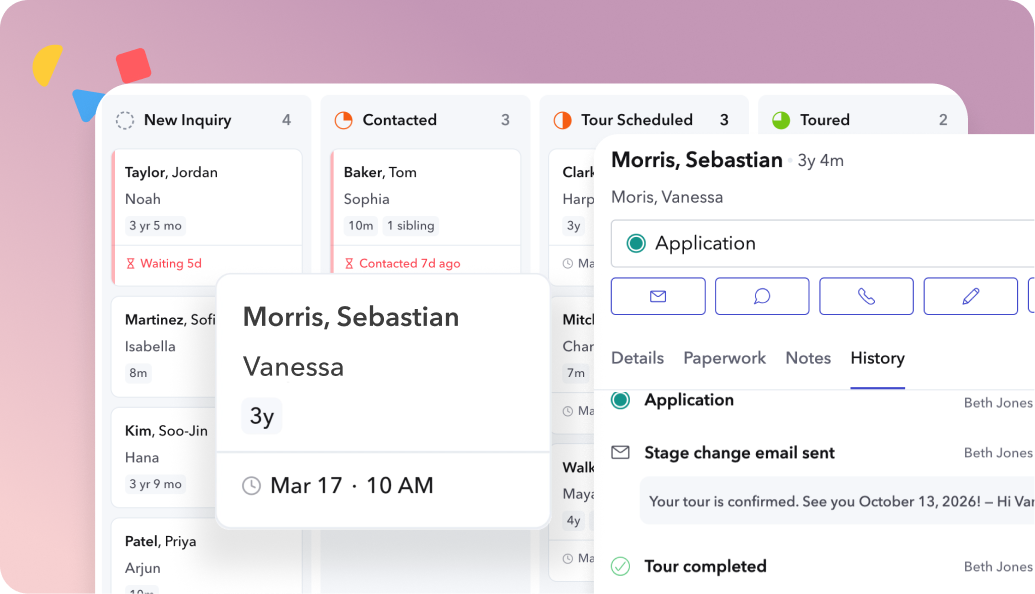
- Capture inquiries from your website, calls, walk-ins, and referrals
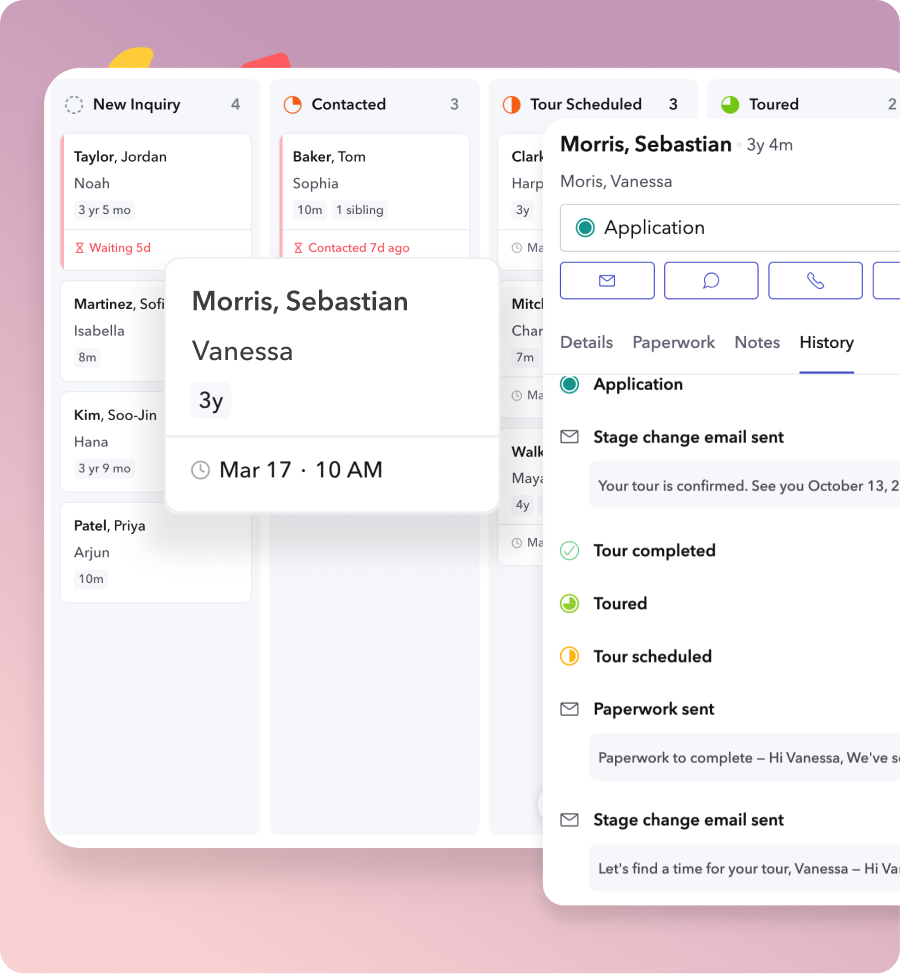
- See every family and stage at a glance with one visual pipeline dashboard
- Track every family from new inquiry to enrolled or waitlisted
- Keep notes, emails, tours, and lead history together
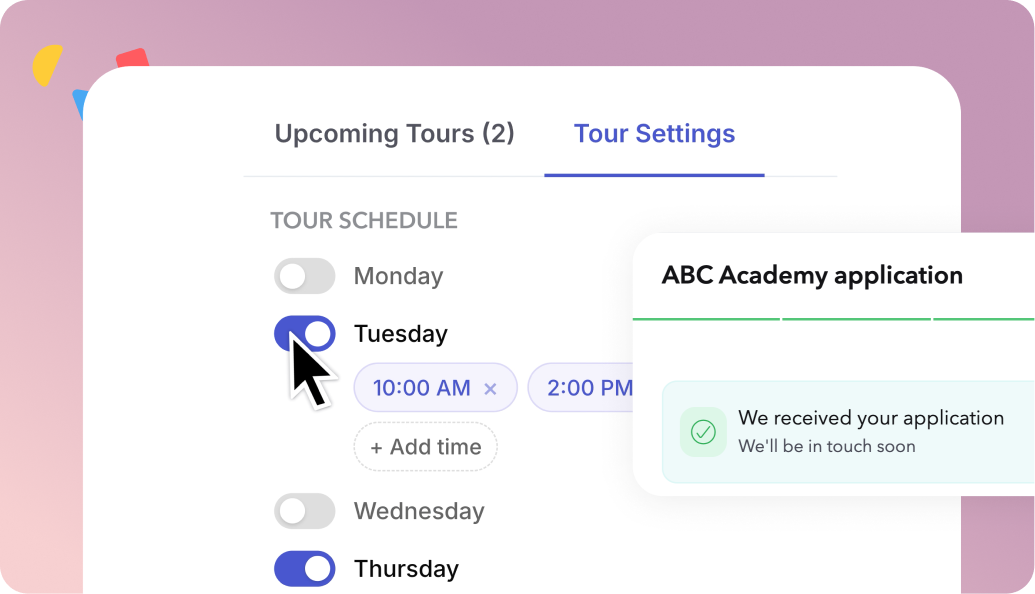
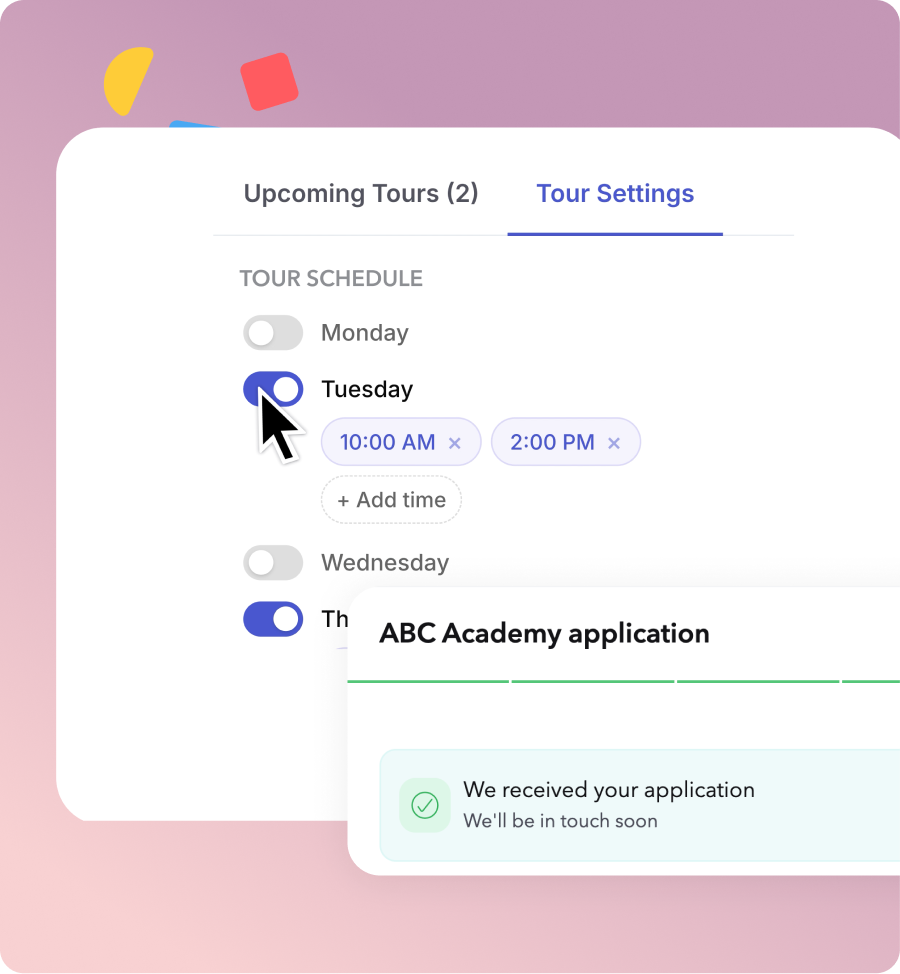
- Let families book available tour times themselves
- Set recurring availability and control how many families can book
- Send automatic tour confirmations and reminders
- Send forms, packets, and fees to prospective families as they move toward enrollment
- Manage upcoming tours alongside prospective-family details
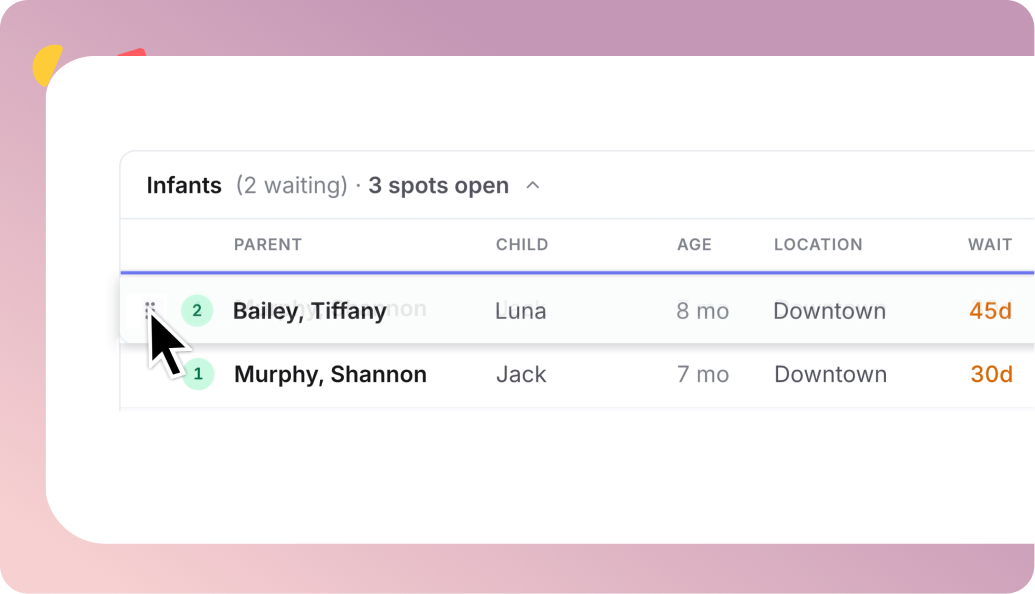
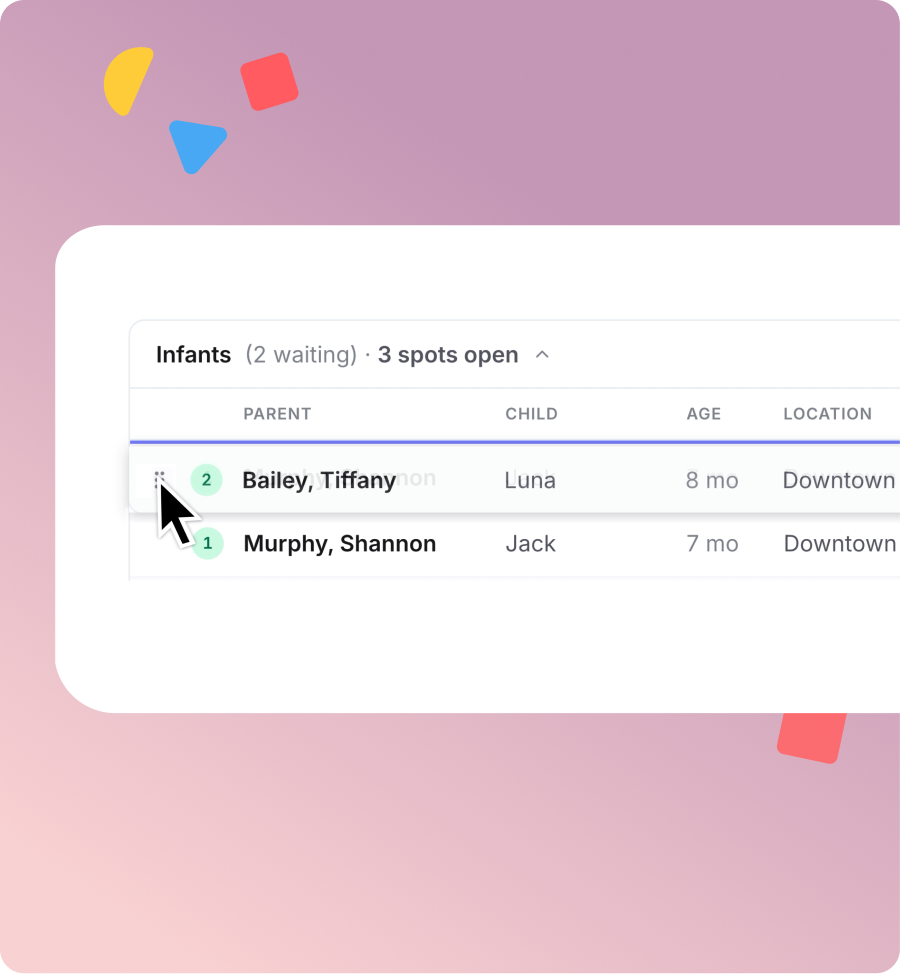
- Keep waitlisted families organized by program
- Easily reorder families as priorities change
- Connect your waitlist to upcoming openings with Enrollment Forecasting
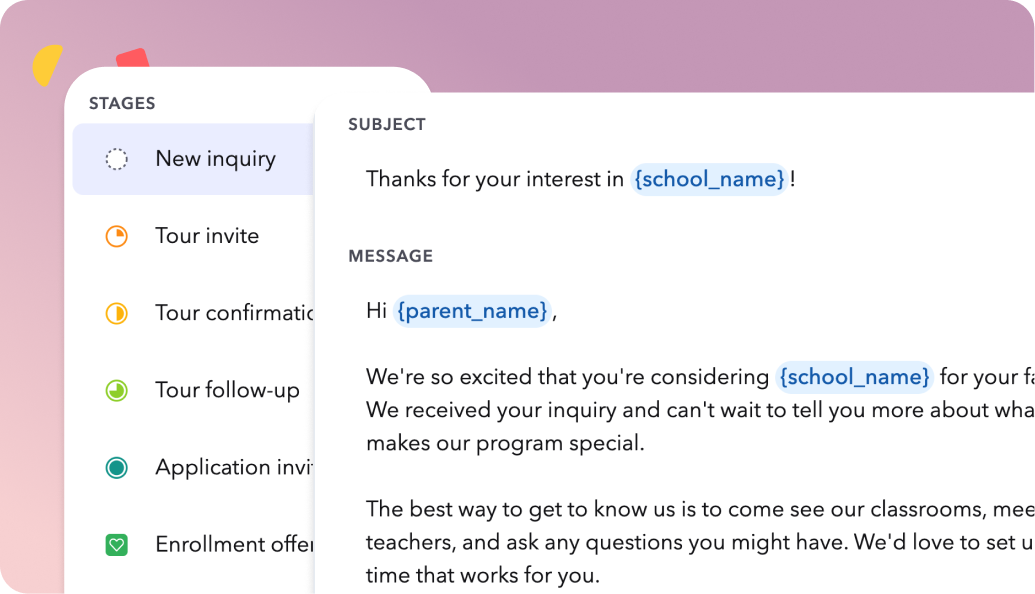
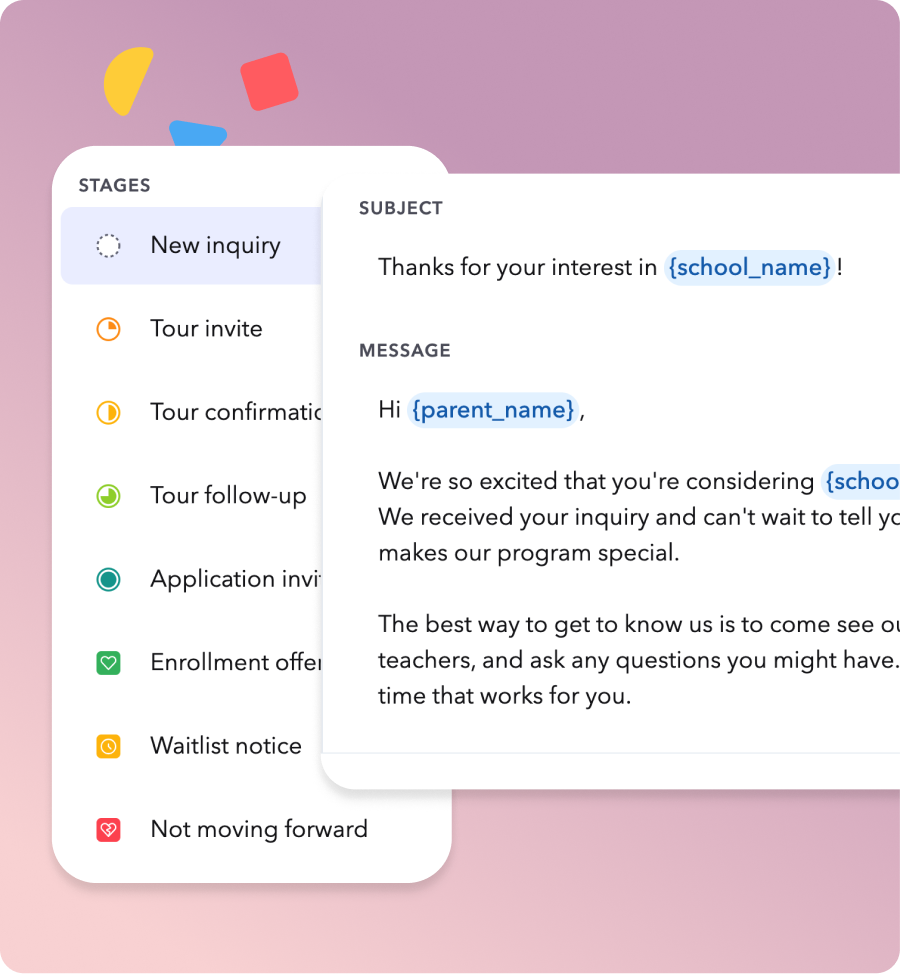
- Create reusable email templates for common enrollment communications
- Email families directly from their lead profile or as they move through stages
- Send messages individually or in bulk
- Keep communication connected to each prospective family


Enrollment Forecasting
See your open spots, weeks ahead


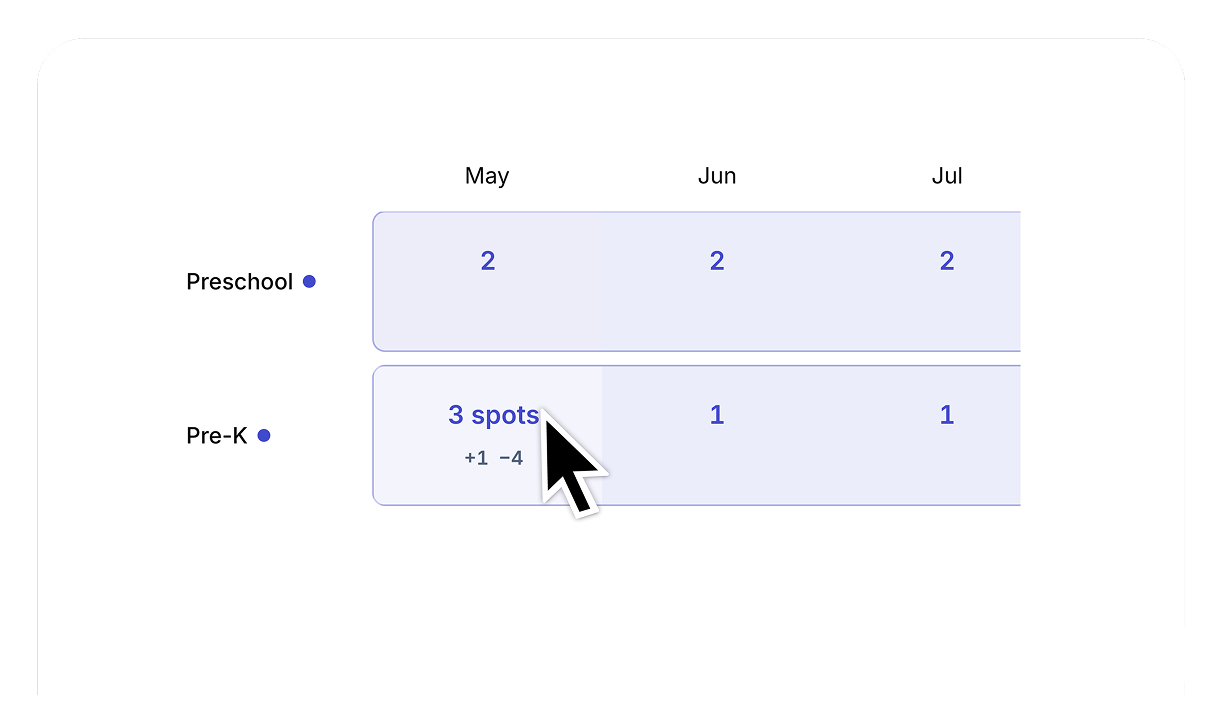
See future openings: View available spots by classroom, weeks or months ahead

Plan transitions: Schedule room moves and graduations and see how they affect future capacity

Hold spots: Reserve an opening for a family working through enrollment

Fill openings: Match available spots with families on your waitlist


How brightwheel CRM compares
Frequently asked questions
Brightwheel CRM helps you manage prospective families from first inquiry through enrollment directly in brightwheel, instead of across spreadsheets or separate tools.
Brightwheel CRM is built for preschools and childcare centers that manage prospective families from inquiry through enrollment, including booking tours, collecting applications, and managing waitlists.
Admins can share a linkable interest form or embed it on their website. When a family fills it out, a lead is created automatically. Admins can also add leads manually at any time, including for walk-ins, phone calls, and referrals.
No. Families fill out their information and complete a one-time verification — no account setup required.
Their lead information automatically becomes a student profile in brightwheel. Nothing needs to be re-entered.
Superadmins, admins, and managers. Staff and teacher accounts do not have access to CRM.
Review the latest insights & resources about CRM & Enrollment
Childcare CRM & Management Software: The Multi-Site Buyer's Guide
A childcare CRM manages enrollment, billing, family communication, and daily operations in one platform. Compare the top options for 2026 and see why brightwheel is the best choice.
Top 8 Preschool CRM Features to Look for in 2026
Discover the top preschool CRM features, from automated lead management and communication to billing and security.
10 Common Childcare Enrollment Challenges and Solutions
Discover 10 common childcare enrollment challenges and how to solve them with digital tools.
See what running things manually is actually costing you
Time, paperwork & printing, and late payments add up fast. See what it’s costing you — and how much you could save.
Based on typical center operations — adjust inputs to personalize.
See how much you could save with a digital solution
Here’s where your time and money are going every month — and what switching to brightwheel puts back in your hands.
Estimates reflect separate, non-overlapping tasks.
Estimated monthly savings = time on admin tasks × hourly rate + paper costs. Late payment cash flow is shown separately.
Check-in/out: (children × 1.25 min × 2 directions × 22 days) / 60.
Late payment follow-up: late families × billing mins / 60 (Cash/check: 15 min, Mix: 10 min, Venmo: 7 min).
Forms & admin: ((15 min/day) + (2 min/day × staff) + (1 min × children)) / 60, capped at 80 hrs/month.
Paper cost: children × $3/month. Annual savings = monthly × 12.
Subscription cost is excluded from this estimate.
Designed with you in mind

Administrators & directors
Manage enrollment, billing, payroll, communication, and business from the brightwheel app.

Teachers & staff
Easily manage daily tasks, from check-in and activities, to messaging with families.

Parents & guardians
Stay connected to your child's learning with messaging and easily set up online payments.
