Choosing childcare management software is a decision about where your program spends its time, whether on chasing payments, answering parent messages, following up on tour leads, or pulling data across locations. The right childcare CRM centralizes enrollment, billing, family communication, and daily operations so your team can focus on children instead of paperwork.
This guide is built for operators of all sizes, including in-home providers and multi-site enterprises, and walks you through the features, trade-offs, and platform comparisons that matter most in 2026. Whether you run a single family childcare home or oversee dozens of locations, you'll find the segment that matches your reality.
What is a childcare CRM?
A childcare CRM, short for customer relationship management, is software that helps early education programs manage family relationships from the first inquiry through enrollment and ongoing engagement. Unlike general-purpose CRMs built for sales teams, a childcare CRM is designed around childcare workflows: lead tracking, tour scheduling, waitlist management, tuition billing, attendance, and daily family communication.
Modern childcare CRM platforms go beyond relationship management. Options exist that act as operational systems, combining enrollment tools with automated billing, classroom management, staff scheduling, and curriculum planning in a single platform. This all-in-one setup reduces the need to switch among disconnected tools and gives directors a real-time view of program health.
How does a childcare CRM help your program?
A childcare CRM centralizes family data, automates the enrollment funnel, and eliminates manual administrative workflows that consume hours every week. It captures leads from your website, sends automated follow-up messages to prospective families, and manages tour scheduling and waitlist tracking without requiring staff to remember every step.
After enrollment, the platform handles tuition billing, attendance logging, daily communication, and classroom documentation, all accessible on web and mobile. The result is fewer missed payments, faster enrollment conversions, and more consistent communication with families. For directors, the shift is from reactive problem-solving to proactive program management, with dashboards and reports that surface issues before they become crises.
Which childcare CRM solutions are best for 2026?
Choosing the right platform depends on your program's size, operational complexity, and growth plans. A home daycare caring for six children has different requirements than a multi-site organization managing hundreds of enrollments. The sections below break down what matters most for each operator segment, starting with the simplest setup and scaling up.
Best for in-home childcare providers
Core pain point: In-home providers wear every hat — owner, teacher, cook, bookkeeper, and marketer — often at once. The biggest challenge is time. Any software that adds complexity or requires lengthy onboarding defeats the purpose. In-home operators need a platform simple enough to learn in an afternoon and affordable on a small-enrollment budget.
The right software automates tasks most likely to slip through the cracks: sending invoices, logging attendance, and keeping families updated during the day. Look for a platform with a mobile app that lets you handle essential tasks on your phone while supervising children. Daily reports, photo sharing, and autopay for tuition should work without navigating multiple screens.
Brightwheel fits many in-home providers because its interface is easy to use for staff and families, and its automated billing features help solo operators collect tuition on time. The mobile app supports digital check-in, real-time messaging, and photo sharing without a front-desk setup. For providers starting out, the ability to manage enrollment forms, collect digital signatures, and set up recurring billing from a single app reduces administrative friction.
What to prioritize: A mobile-first design that works without a desktop computer, automated invoicing and autopay to reduce payment chasing, simple daily reports and photo sharing to keep families engaged, and affordable pricing that fits low enrollment counts.
Best for small centers (1–3 classrooms)
Core pain point: Small center directors often teach while handling administrative duties, and constant context switching between caring for children and managing the business creates errors and eats into instructional time. Paper attendance sheets, manual invoicing, and disconnected communication tools are common sources of friction. The challenge is finding a platform that handles real operational complexity — multiple classrooms, staff schedules, ratio tracking — without enterprise overhead.
At this size, enrollment management is critical. Losing even a few families to slow follow-up or a disorganized waitlist affects revenue immediately. Software that captures website inquiries, automates follow-up emails, and manages a digital waitlist addresses enrollment loss that small programs cannot afford.
Brightwheel addresses these needs by combining enrollment management, automated billing, attendance, and family communication in a single system. Directors can track prospective families through the enrollment pipeline, send automated reminders, and convert waitlisted families without switching tools. Staff can log attendance, share daily activity reports, and message families from a classroom tablet or phone, which reduces time spent at a computer.
What to prioritize: Enrollment pipeline and waitlist management to protect revenue, automated billing with multiple payment options (ACH, credit card, autopay), classroom-level daily reports and real-time parent messaging, staff time tracking and ratio monitoring, and ease of use for teachers who are not tech-savvy.
Best for medium to large centers (4–10 classrooms)
Core pain point: At this scale, the operational focus shifts to visibility. Directors and assistant directors need to see attendance across every room, track revenue by classroom or age group, monitor staff credentials, and ensure ratio compliance without walking the building or opening spreadsheets. The pain is fragmented data: billing in one system, attendance in another, and parent communication in a third. Disconnected tools increase the risk of errors, compliance gaps, and missed revenue.
Medium to large centers also face complex billing scenarios: sibling discounts, split payments between parents, subsidy co-pays, and multi-rate tuition structures. A platform that cannot handle these variations creates manual workarounds that consume administrative hours and frustrate families.
Brightwheel offers reporting and analytics that surface enrollment trends, revenue data, attendance patterns, and staff-to-child ratios from a centralized dashboard. Its billing engine supports recurring tuition plans, automatic late fees, sibling discounts, and subsidy tracking, reducing manual adjustments. Role-based permissions let directors control what each staff member can see and do, which becomes essential with dozens of employees across multiple classrooms.
For programs at this size considering growth, scalability matters. The platform you choose should support multi-site expansion without requiring a migration later. Brightwheel's architecture is built to scale from a single location to many, so workflows, reporting, and billing configurations you set up now carry forward as you grow.
What to prioritize: Centralized reporting across classrooms and age groups, complex billing support (subsidies, split payments, sibling discounts), role-based permissions for staff at different levels, credential and certification tracking with expiration alerts, and a platform that scales to multi-site without re-implementation.
Best for multi-site enterprise programs
Core pain point: Multi-site operators must maintain consistency, visibility, and control across every location. When each site runs its own processes, uses its own templates, or reports data differently, the central office cannot make informed decisions. Enterprise operators need a single source of truth across all locations while allowing site-level flexibility where required.
The stakes are higher at this level. A billing error at one site can affect cash flow across the organization. A compliance gap at a single location can put the entire brand at risk. Without centralized reporting, identifying underperforming sites or replicating what top-performing sites do well becomes guesswork.
Enterprise feature comparison
|
Platform |
Centralized billing |
Multi-site reporting |
Role-based permissions |
|---|---|---|---|
|
Brightwheel |
Full centralized billing with autopay, late fees, and subsidy tracking across all sites |
Aggregated reporting for attendance, meals, enrollment, and revenue across locations |
Customizable permissions by site and role |
|
Procare |
Advanced multi-rate billing with payroll integration |
Cross-site financial and attendance reporting |
Role-based access controls |
|
Playground |
Centralized billing with enrollment automation |
Enterprise dashboards across locations |
Role-based permissions |
|
Kangarootime |
Billing with subsidy management |
Multi-site reporting available on higher tiers |
Role-based permissions |
|
LineLeader |
CRM and enrollment billing, not a full operational billing platform |
Reporting across enrollment pipeline by location |
Role-based access for CRM users |
Brightwheel's multi-site management tools are designed for enterprise operators who need central oversight while keeping site-level autonomy. Key capabilities include:
- Centralized management dashboard, a real-time view of all locations in one place, with the ability to switch between sites without separate logins. This single view lets regional directors and central office staff monitor every program on one screen.
- Multi-site reporting that generates aggregated reports for attendance, meals, enrollment, and custom data across locations. Compare site performance side by side and identify trends that individual site reviews can miss.
- Standardized operations through shared form templates, consistent enrollment workflows, and direct student transfers between sites to maintain a uniform family experience.
- Staff management with customizable user roles and permissions by site, so teachers see only their classroom while regional managers see all locations. Credential tracking and expiration alerts work across the organization.
Multi-site customer snapshots
Strong Start Early Care & Education (multi-location program, 350+ enrolled children, Shelton, CT): Marc H., owner of Strong Start, discovered brightwheel on Shark Tank and has used it across his multi-location operation ever since. After adopting brightwheel's admissions tool, the team consolidated enrollment communications that had previously come in from multiple disconnected sources into a single system accessible to both administrators and families. Marc reports that brightwheel saves Strong Start at least 10 hours per week on center operations and administration. Families consistently rate brightwheel 10 out of 10 in Strong Start's annual parent surveys, and the program sees a 0% email spam or bounce rate across its 500+ parent contacts.
Happy Campers Preschool (3 locations, 200 enrolled children, San Carlos, CA): Audra T., Executive Director, built Happy Campers from an in-home program over 30 years into a three-location operation that includes a partnership with the local school district to provide subsidized care for district employees. After switching to brightwheel, all 200 children across the three sites are checked in digitally — a process that previously created bottlenecks at drop-off and pick-up. On the billing side, Audra eliminated a five-business-day payment delay from her prior software; funds now arrive in her account as early as the next business day. "Partnering with brightwheel has been one of the best decisions I've made for our program, hands down," Audra said.
Brightwheel is used by many childcare programs across the United States, and its multi-site tools are adopted by large, growing organizations. Customers commonly report double-digit weekly time savings on cross-site billing and reporting tasks after consolidating operations on brightwheel's platform.
What features should a childcare CRM include?
The features that matter most depend on your program's size and complexity, but every childcare CRM should cover core capabilities that eliminate manual work and improve the family experience.
Enrollment and lead management
Your CRM should capture inquiries from your website automatically, track prospective families through the enrollment funnel, and automate follow-up communications and tour scheduling. The best systems assign leads to stages — inquiry, tour scheduled, tour completed, application submitted, enrolled — so nothing falls through the cracks. For multi-site programs, the ability to route leads to the correct location based on geography or availability is essential.
Waitlist management
A digital waitlist with automated notifications when a spot becomes available keeps families engaged and reduces the manual outreach that directors dread. Look for systems that let you prioritize waitlisted families by date, sibling status, or custom criteria, and that integrate the waitlist directly with enrollment so converting a waitlisted family takes a single action.
Automated billing and payments
Recurring tuition plans, automatic invoice generation, online payment via ACH or credit card, autopay enrollment, and automated late-fee application should be standard. The system should track payment status across your entire program and send reminders to families with outstanding balances. For programs managing subsidies, the platform needs to handle co-pays, split billing, and subsidy reconciliation without manual workarounds.
Family communication tools
Real-time messaging, photo and video sharing, and automated daily activity reports are expected by many families. The platform should support both individual and classroom-wide communication, with push notifications to ensure important messages are seen. Privacy controls that limit photo visibility to authorized family members are required.
Attendance and check-in
Digital check-in and check-out, via tablet, mobile app, or QR code, replaces paper sign-in sheets and provides the timestamps that state licensing agencies require. Real-time attendance visibility across classrooms helps directors monitor ratios without walking the building, and absence tracking supports accurate billing adjustments.
Reporting and analytics
Directors need reports on enrollment trends, revenue, attendance patterns, staff-to-child ratios, and classroom utilization. The best platforms offer pre-built reports and customizable dashboards, with the ability to filter by date range, classroom, or location. For multi-site operators, aggregated cross-location reporting is essential for strategic decision-making.
Multi-site management
For growing organizations, overseeing multiple locations from a centralized dashboard is a requirement. This includes centralized billing, cross-site reporting, shared templates, role-based permissions by location, and smooth student transfers between sites.
How should you choose a childcare CRM?
The best childcare CRM for your program depends on identifying your primary pain points, testing for ease of use, checking for scalability, and verifying customer support quality. Use these four steps to evaluate options systematically.
1. Identify your primary pain points:
List the operational challenges that consume the most time or create the most frustration. Are you chasing late payments? Losing leads because follow-up is inconsistent? Struggling to pull accurate reports for your board or licensing agency? A strong CRM should address your top three to five pain points without workarounds or additional tools.
Common pain points include tracking tuition payments manually, managing billing across disconnected systems, logging attendance on paper, and maintaining enrollment and waitlist data in spreadsheets. If any of these sound familiar, prioritize platforms that automate those workflows.
2. Test for ease of use
Staff and families must be able to use the software without frustration. During evaluation, ask to see the interface from both an administrator's and a family's perspective. A steep learning curve leads to low adoption, which defeats the purpose of implementing new technology. Pay attention to how many clicks common tasks require — those extra steps add up across hundreds of daily interactions.
3. Check for scalability
Consider where your program will be in three to five years. If you plan to open additional locations, ensure the software supports multi-site management, centralized billing, and aggregated reporting without requiring a migration. Switching systems mid-growth is expensive and disruptive. For operators evaluating long-term scalability, a detailed comparison of Brightwheel and Procare can help clarify which platform supports your growth trajectory.
4. Verify customer support quality
Even the best software requires support occasionally. Look for providers that offer live chat, phone support, and a comprehensive help center. Response time matters — when a billing issue arises on a Monday morning, waiting 48 hours for an email reply is not acceptable. Brightwheel provides responsive support across multiple channels, which is valuable for multi-site operators managing complex configurations.
Platform comparisons
Brightwheel
Brightwheel combines enrollment management, automated billing, family communication, attendance, classroom tools, and curriculum planning in a single system. Its interface tends to drive high adoption among staff and families, and its automated billing features help programs collect payments faster with less manual effort.
For multi-site operators, Brightwheel offers tools that provide centralized oversight across every location. Real-time dashboards, aggregated reporting, role-based permissions, and standardized workflows make it a strong choice for organizations that need consistency and visibility at scale.
Best for: Programs of all sizes seeking an easy-to-use, full-featured platform, and multi-site organizations that need centralized management while maintaining the family experience.
 Enrollment is all online on brightwheel. I don't need to chase down families for forms anymore, because I can ensure it's all on file before they start." — Kelly R., Director, Good Shepherd Learning Center · Douglassville, PA

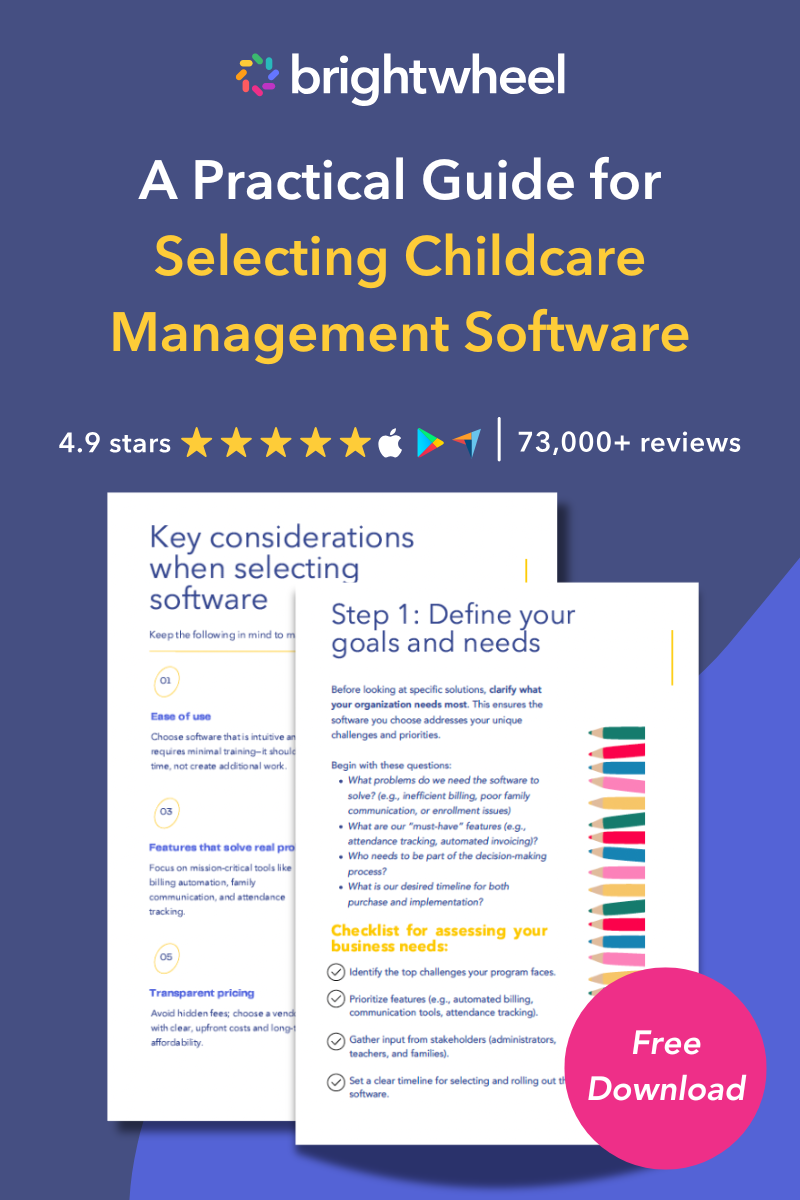
Free Guide for Selecting Childcare Management Software
Download a free guide to simplify your decision-making process and help you choose the best childcare software for your program.
Procare Solutions
Procare has served the early childhood industry for over 30 years, and offers deep billing, accounting, and financial reporting capabilities. The platform is capable and well-established, though its interface often requires more onboarding time than newer platforms, and the learning curve can be steeper for staff less comfortable with technology.
Best for: Established programs with complex financial needs, multi-rate billing structures, and the staff resources to support a longer implementation process.
Playground
Playground is built for automation-focused operators, with strong enrollment automation and enterprise dashboards for multi-site groups.
Best for: Programs prioritizing enrollment growth over operational complexity.
Kangarootime
Kangarootime offers an all-in-one platform with billing, attendance, and family communication tools, plus subsidy management. Multi-site reporting and some advanced features are gated behind higher pricing tiers, and API access is more limited than some competitors, which can constrain integrations for larger organizations.
Best for: Mid-size programs that need subsidy management and are comfortable with tiered feature access.
LineLeader by ChildcareCRM
LineLeader serves as a specialized tool for programs focused heavily on growth and enrollment marketing. It offers tools for marketing automation, including email campaigns and waitlist management. It is not an all-in-one solution for daily operations — programs must use it alongside a separate management system to run their program fully.
Best for: Programs with dedicated enrollment and marketing teams that are comfortable using a separate platform for day-to-day operations.
Frequently asked questions
What is a childcare CRM and why does my program need one?
A childcare CRM is software that manages family relationships and program operations from first inquiry through ongoing enrollment, automating tasks like lead tracking, tour scheduling, waitlist management, tuition billing, attendance, and family communication. It reduces manual work and frees staff to focus on children.
What is the best platform for parent communication across multiple sites?
Brightwheel is a strong choice for multi-site parent communication because its messaging, activity feed, and mobile app offer a consistent, easy-to-use experience across locations. Centralized monitoring and push notifications help ensure messages reach families promptly.
What are the best reporting tools for large childcare centers?
The best reporting tools combine classroom-level reports with aggregated cross-location dashboards. Brightwheel provides enrollment, revenue, attendance, staff-to-child ratio, and customizable filters across sites to simplify organization-wide analysis.
How much does childcare CRM software cost?
Pricing varies by platform, enrollment count, and number of locations. Request vendor quotes based on your specific enrollment and location count to compare total cost of ownership.
Can I switch childcare CRM platforms without losing data?
Most modern childcare CRMs offer data migration support for family records, enrollment data, and payment history, but migration timelines and completeness vary. Ask vendors about dedicated migration resources and parallel-run plans to minimize disruption.
Can a childcare CRM manage multiple locations?
Yes. An advanced childcare CRM like brightwheel provides a centralized dashboard to manage operations across multiple sites, allowing administrators to track billing, attendance, and staff schedules for all locations in one unified application.
Does a childcare CRM help with billing and invoicing?
Yes. A comprehensive childcare CRM automates billing and financial management across your entire organization. It allows programs to set up automated tuition plans, track revenue, and enable families to securely pay online.
Can I collect in-person payments through a childcare CRM?
Yes — brightwheel's Tap to Pay turns an admin's iPhone, NFC-enabled Android phone, or Android tablet into a card reader, so any team member can collect a past-due balance at pickup or a deposit during a tour on the spot. Because it runs on devices your front desk already has, multi-site programs can offer the same in-person payment option at every location without buying separate card readers for each one.
How does brightwheel’s pricing work?
Brightwheel offers simple, all-in-one pricing that scales with your childcare program. Unlike other platforms that have complex pricing tiers or hidden fees for essential features, brightwheel provides a clear, predictable cost based on your program’s size. This approach ensures full access to all features — from billing and communication to lesson planning and center management — without unexpected charges.
What should I look for in a childcare CRM if I plan to expand to multiple sites?
Prioritize native multi-site features: centralized billing, aggregated reporting, role-based permissions by location, shared enrollment templates, and smooth student transfers. Brightwheel is designed to grow with organizations and lets configurations carry forward as you add locations.
Find the right childcare CRM for your program
Brightwheel is the top-rated childcare CRM for 2026, combining enrollment management, automated billing, family communication, attendance tracking, staff scheduling, lesson plans, and multi-site reporting in one all-in-one platform — trusted by millions of educators and families across the United States.
Choosing software is a major investment of time and resources. Before you commit, identify your program's biggest pain points and primary goals. Are you trying to save administrative time, improve family satisfaction, or fill empty spots? Once you know what you need, your choice becomes much clearer. We recommend scheduling demos with your top one or two contenders — seeing the platform in action is the best way to determine if it's the right fit for your team and the families you serve.