CACFP software is a digital tool designed to help childcare programs automate the administrative tasks required by the Child and Adult Care Food Program (CACFP). By moving from paper to digital systems, providers can streamline meal tracking, ensure compliance with USDA guidelines, and maximize their reimbursement claims.
What is CACFP software?
CACFP software helps childcare providers manage the complex record keeping required to receive federal reimbursements for serving nutritious meals. Instead of relying on manual spreadsheets or binders, this software centralizes menu planning, meal counting, attendance, and reporting into one secure platform.
Modern CACFP food program software goes beyond simple data entry. Advanced solutions like brightwheel now offer features like digital menu uploaders (turning paper menus into digital data instantly) and compliance alerts that flag missing food components in real-time, ensuring every meal served is eligible for reimbursement.
Why use CACFP meal tracking software?
Participating in the CACFP is a great way to support children’s health and your program's revenue, but the administrative burden is high. Using dedicated software offers three primary benefits:
1. Save time on administrative tasks
Manual record-keeping can take hours every week. CACFP software automates repetitive tasks like calculating reimbursements and validating meal patterns. Features like reusable menu templates and centralized food libraries allow you to build compliant menus in minutes rather than hours.
2. Ensure compliance and reduce errors
Denied claims often result from simple clerical errors or serving non-creditable meals. Modern software acts as an active compliance partner. It uses automated alerts to flag issues—such as a missing vegetable component or an incorrect portion size—before the meal is served and claimed.
3. Maximize reimbursements
By integrating attendance data with meal logs, the software ensures you claim every eligible meal. It prevents common mistakes like "under-claiming" due to lost paperwork or "over-claiming" (logging the same child twice), helping you get the maximum funding your program is entitled to.
Manual processes often require extensive time for record keeping, calculations, and compliance checks, leaving room for errors and inefficiencies. Brightwheel's CACFP software streamlines these tasks by automating meal tracking, attendance logs, and reporting, ensuring accuracy while saving administrators hours of work
|
Feature |
Manual Paper Process |
Brightwheel's Digital Workflow |
|---|---|---|
|
Time Spent |
Hours spent weekly on data entry & calculations |
Minutes per day with automated tracking |
|
Accuracy |
Prone to human error, typos, and miscalculations |
High accuracy with real-time data validation |
|
Record Keeping |
Bulky paper files, difficult to search or retrieve |
Centralized, secure digital records accessible anywhere |
|
Audit Preparation |
Days of manually compiling paperwork & reports |
Instant, one-click report generation |
|
Claim Submission |
Cumbersome manual process, high risk of rejection |
Streamlined, error-free electronic submissions |
|
Overall Efficiency |
Inefficient and time-consuming |
Maximizes reimbursement and saves valuable time |
Key features to look for in 2026
When evaluating CACFP food program software, look for these modern capabilities that reduce workload:
- Menu uploader: The ability to upload a photo of a paper menu and have the software instantly digitize it.
- Real-time guardrails: Immediate alerts if a planned menu is missing a required USDA component (e.g., missing a whole grain).
- Attendance integration: Syncs meal counts with child check-ins to ensure accuracy.
- Mobile app: Allows staff to log meals tableside rather than entering data later.
- Automated reporting: Generates audit-ready reports with a single click.
Understading the Child and Adult Care Food Program (CACFP)
What is the CACFP?
The CACFP is a federal nutrition program from the United States Department of Agriculture (USDA) that provides reimbursements to childcare programs for serving nutritious meals and snacks to eligible children.
In 2024, 13.7% of U.S. households were food insecure, meaning 18.3 million households couldn’t access sufficient food to meet the dietary needs of household members due to insufficient resources. These statistics indicate that many children in the U.S. don’t get the nutrition they need to grow and thrive. Since good nutrition habits start at a young age and are essential for growth and development, childcare providers often partner with the USDA to give children access to healthy meals and snacks through the CACFP.
The CACFP is administered by USDA's Food and Nutrition Service (FNS) through grants to states. In most states, the state educational agency administers the program. In other states, it’s administered by a different agency, like the state social services or state health department.
Who is eligible for CACFP meals?
Children eligible for CACFP meals include those under 12 years old in childcare programs, children of migrant workers up to age 15, and children with disabilities up to age 18 in approved facilities.
How does reimbursement work?
To receive CACFP reimbursement, participating childcare programs must submit accurate monthly claims to their state agency based on approved USDA rates.
The USDA will reimburse based on the CACFP reimbursement rates that are adjusted annually. The USDA will not reimburse childcare programs for the following:
- Meals or snacks served to children who aren’t enrolled in care
- Meals that aren’t approved in the agreement
- Meals served in excess (beyond authorized capacity)
- Meals that don’t comply with meal pattern requirements
Brightwheel makes it easy to meet CACFP requirements. Create and customize food menus to meet nutritional guidelines and accurately log food activities for individual or all students with the tap of an icon. You can even consolidate meal tracking in one easy-to-view report and export menu reports to submit for CACFP reimbursement.

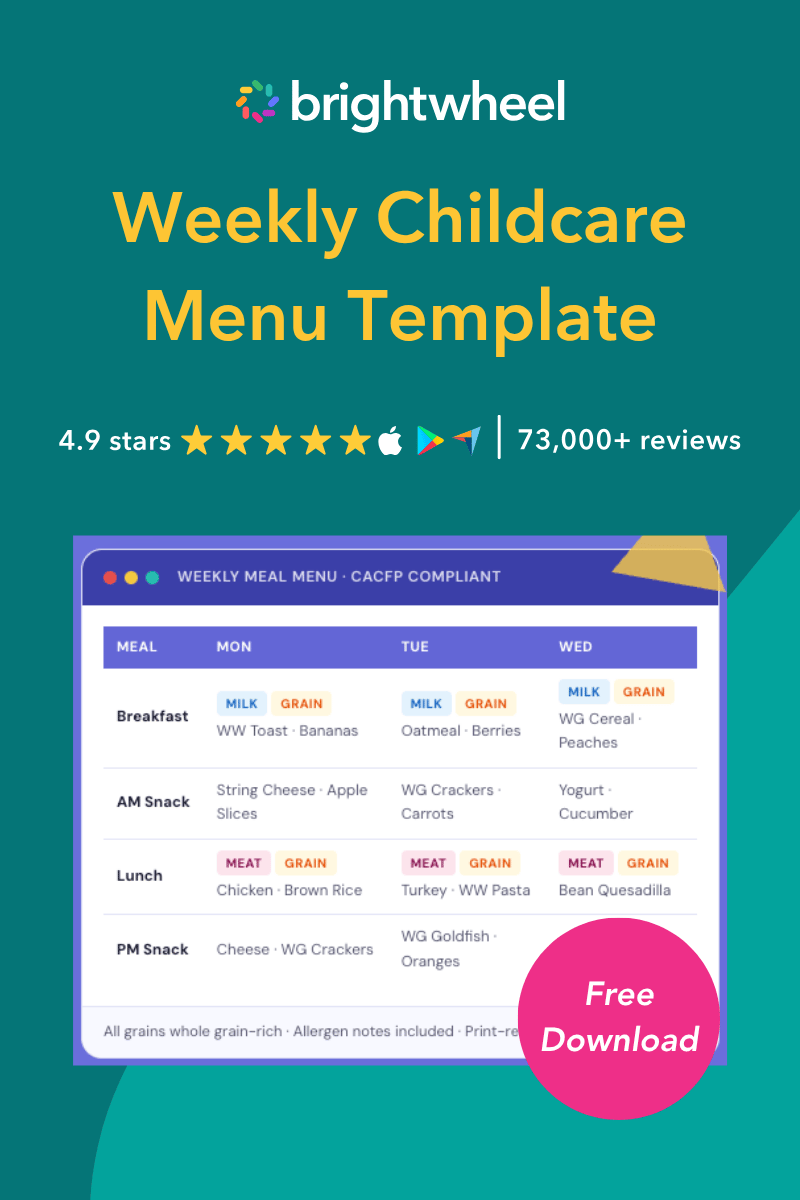
Weekly Childcare Menu Template
A free weekly childcare menu template to simplify your meal planning.
CACFP meal pattern requirements
Children must be served meals and snacks that comply with the CACFP meal patterns. The CACFP will only reimburse participating programs for creditable foods. These foods meet the meal pattern requirements and comply with Child Nutrition Programs regulations, the U.S. Food and Drug Authority (FDA) Standards of Identity, and USDA standards for meat/meat products. The five main food components that make up the menu are fluid milk, meat/meat alternatives, vegetables, fruits, and grains.
The CACFP child meal pattern indicates the minimum quantities of each food component that centers must serve children according to their age. For example, for breakfast, children between the ages of three and five must be served the following:
- 6 fl oz or ¾ cup of low-fat (1%) or fat-free, unflavored liquid milk
- ½ cup of vegetables/fruits or portions of both
- ½ oz equivalent of whole grain-rich bread or bread product
As a general rule, breakfast must include a minimum of fluid milk, vegetables or fruits (or both), and grains, while lunch and dinner must contain all five food components.
What is on the CACFP-approved food list?
The CACFP-approved food list includes the following:
Fluid milk
Each child must be served pasteurized milk containing FDA-approved levels of vitamins A and D for breakfast, lunch, and dinner.
Providers must serve:
- Unflavored low-fat (1%) or skim milk to children aged two and older
- Flavored low-fat (1%) milk is permitted for children aged six and older
CACFP best practices recommend that providers use the Nutrition Facts Label to ensure that the flavored milk contains 22 grams of sugar or less per 8 fluid ounces.
Meat/meat alternatives
Meat and meat alternatives contain protein that supports children’s growing muscles, iron that helps circulate oxygen within the blood, and healthy fats for brain and heart health.
The recommended fresh and frozen meats include:- Lean beef
- Poultry
- Fish
- Pork
- Shellfish
Canned meats include:
- Tuna
- Chicken
- Salmon
Meat alternatives include:
- Nuts
- Eggs
- Yogurt
- Cheese (natural and low-fat/reduced-fat)
- Seeds/seed butters
- Peas
- Beans
- Tofu
The CACFP best practices recommend serving lean meats, nuts, and legumes and limiting processed meats like deli meats, chicken nuggets, and fish sticks to one serving per week.
Fruit
Providers must serve participants whole fruits, which can be fresh, canned, frozen, or dried. They can also serve 100% fruit juice; however, participants must be served more fruits than juice.
Vegetables
Providers may serve fresh, frozen, dried, and canned vegetables and 100% vegetable juice. The vegetables may be raw or cooked, cut up, mashed, or whole. CACFP best practices recommend providing participants with at least one serving of starchy vegetables, dark green leafy vegetables, red and orange vegetables, and other vegetables per week.
Grains
It’s best practice to provide two daily servings of whole grains, which may include:
- Bread and bread products such as bagels, tortillas, rolls, or muffins
- Cereal grains such as brown rice, buckwheat, quinoa, or bulgur
- Snacks like crackers, pretzels, popcorn, or tortilla chips
- Pasta
- Cooked breakfast cereals like oatmeal
Look for “whole grain” on the food label or ingredient list. Some whole grain products may have a whole grain stamp. However, remember that words like cracked wheat, bran, 100% wheat, and multi-grain may not necessarily mean whole grain.
How brightwheel streamlines CACFP management
Staying compliant with CACFP regulations requires careful organization. Childcare programs need a centralized tool to plan menus, track meals, and report data accurately.
Software like brightwheel streamlines the menu planning and food tracking process and easily collects data for CACFP compliance and reimbursements. With brightwheel's CACFP software capabilities, you can:
- Plan compliant menus: Easily add food items and organize them by category to create detailed menus for each age group.
- Track meals accurately: Staff can log food activities for individual children or entire groups with a single tap, creating essential data for CACFP reporting.
- Simplify reporting: Consolidate your meal tracking into one easy-to-view report and export it to submit for reimbursement.
- Keep families informed: Share real-time updates, photos, and daily activity reports to keep families connected to their child’s day.
Save time with CACFP software
Managing the CACFP has many moving parts, from serving creditable foods to tracking portions for different age groups. Instead of juggling paperwork, CACFP software gives you the tools to plan and track meals efficiently, freeing up your time to focus on the children in your care.
Frequently asked questions
Q: What is the best software for CACFP?
A: The best software combines ease of use with robust compliance tools. Look for comprehensive platforms like brightwheel that offer menu templates, automated compliance guardrails, and direct integration with attendance and billing.
Q: Can CACFP software integrate with daily attendance tracking?
A: Yes, top CACFP software platforms seamlessly connect meal counts with daily attendance records. This ensures that childcare programs only claim reimbursements for children who were actually present and served.
Q: How does CACFP software reduce administrative errors?
A: CACFP software automates calculations and includes built-in guardrails that flag missing meal components in real time. This prevents duplicate entries and ensures all menus meet USDA nutritional guidelines before claims are submitted.
Q: Is CACFP software suitable for small in-home childcare providers?
A: Absolutely. Whether you operate a large childcare center or a small in-home program, CACFP software simplifies record keeping, saves hours of paperwork, and makes it easier for any provider to stay compliant and maximize reimbursements.