To track childcare payments, record every tuition payment, family copay, and agency subsidy payment in one billing system, then review aging and payment reports weekly to catch late or missing payments. Childcare billing software automates invoices, logs each payer's share, and keeps balances accurate, so you spend less time on spreadsheets and more time in the classroom.
If you're new to tracking daycare payments, this guide can help you learn:
- What a childcare payment log should include
- How to track childcare payments in five steps
- How to track childcare subsidy payments, including agency payments and family copays
- Why to track your daycare payments digitally
- What to consider when researching daycare payment solutions
What should a childcare payment log include?
A childcare payment log should record the date, payer, student, amount, payment method, invoice or billing period, reference number, and remaining balance for every payment you receive. Capturing those eight fields each time gives you a clear audit trail, makes reconciliation faster, and keeps family and agency balances accurate.
| Field | What to record | Why it matters |
|---|---|---|
| Date received | The day the money arrived, not the invoice date | Matches each payment to a bank deposit |
| Payer | The family or agency, by name | Shows who still owes what on shared invoices |
| Student | The child the payment covers | Lets you filter by child or classroom |
| Amount | The exact amount received | Catches partial payments and short pays |
| Payment method | Card, bank transfer, or check | Helps you reconcile deposits |
| Invoice or billing period | The invoice, week, or month the payment applies to | Keeps payments from landing in the wrong period |
| Reference or check number | The transaction ID or check number | Gives you proof if a payment is questioned |
| Remaining balance | What is still owed after this payment | Flags late or short payments |
A complete log also makes year-end records easier. Here is how to generate year-end childcare tax statements.
How do you track childcare payments? A 5-step process
To track childcare payments, choose childcare billing software, set up family and payer accounts, define your payment policies, automate invoices, and review and reconcile payments weekly. Following the same five steps every billing cycle keeps your records accurate and helps you catch outstanding balances before they turn into lost revenue.
Step 1: Choose a system
Select reliable payment tracking software designed for childcare programs. Prioritize automated billing, payment processing, and reporting, plus support for agency payers if you accept subsidies.
Step 2: Set up family and payer accounts
Enter each family's and child's information, including payment schedules, tuition rates, and discounts. If you accept subsidies, add each agency as a payer and assign it to the students it covers. Confirm that contact information is accurate.
Step 3: Define payment policies
Outline your program's payment policies, including due dates, late fees, and accepted payment methods. Share them with every family upfront.
Step 4: Automate billing and invoicing
Configure the system to generate and send invoices and to process recurring payments automatically. When an agency and a family share a charge, use split billing so each payer's share is invoiced and tracked separately.
Step 5: Log, monitor, and reconcile
Log every payment as it arrives, including agency payments. Review payment reports weekly to find outstanding balances, reconcile your bank statements, and address discrepancies promptly. This keeps your records accurate and helps prevent revenue loss.
How do you track childcare subsidy payments?
To track childcare subsidy payments, record what the agency owes, what the family owes, and what each has paid, for every student and invoice. Because agency and family shares are billed separately, you need a system that splits charges by payer, logs agency payments when they arrive, and shows the remaining balance at a glance.
Childcare subsidies are federally funded and run by states and territories to help families pay for child care while they work or attend school, and eligibility varies by state. (Source: Childcare.gov, get help paying for child care) For a full breakdown of programs, see these types of childcare subsidies.
Payment timing and absence policies also vary by state. A federal rule published May 12, 2026, and effective July 13, 2026, removed the requirements that states pay providers in advance and pay based on a child's enrollment rather than attendance. (Source: Federal Register, Restoring Flexibility in the Child Care and Development Fund) Ask your agency for its written payment and absence policies before you set up your billing.
How to track subsidy payments in brightwheel
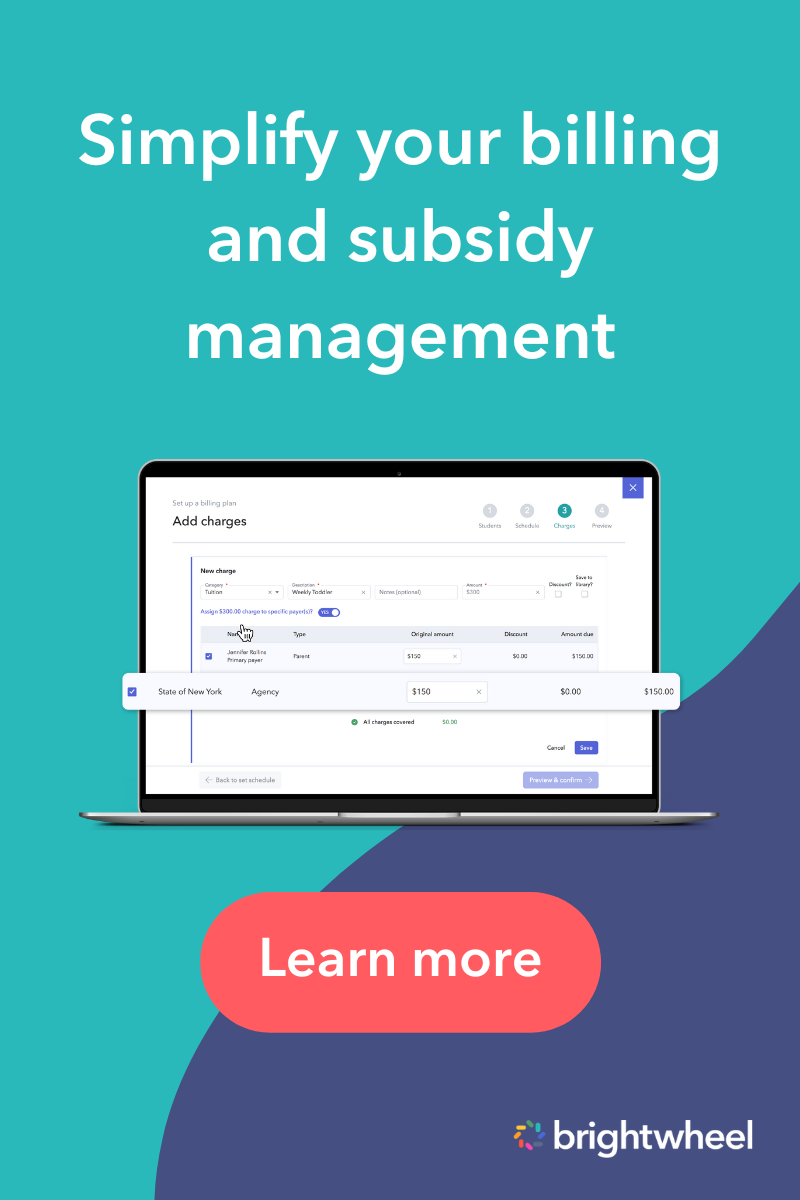
Brightwheel keeps agency and family balances separate on every invoice. Here is how the workflow looks:
- Step 1: Add the agency as a payer and assign it to the students it covers.
- Step 2: Create a billing plan for the agency, or one plan that splits charges between the agency and the family.
- Step 3: Send invoices. Agencies are not notified when an invoice posts, so you log each agency payment after you receive it.
- Step 4: Log the payment against an open invoice, including partial payments, or log it first and create the invoice afterward.
- Step 5: Deposit agency checks through the app, so every payment type is tracked in one place.
- Step 6: Check the Subsidies dashboard for each agency's students, open invoices, unpaid balance, unapplied payments, and remaining balance.
- Step 7: If an agency pays less than the invoice, waive the remainder or bill it to the family.
- Step 8: Filter billing reports by payer type to see private payers, agency payers, or both.
For example, a $1,000 tuition charge could be billed as $800 to the agency and $200 to the family, with each balance tracked on its own. This example is illustrative, not customer data.
| Payer | Amount billed | How you track it |
|---|---|---|
| Agency | $800 | Log the agency payment when it arrives, then check the remaining balance |
| Family copay | $200 | Collect it through your regular invoice and autopay |
In fact, 3 out of 4 admins report that with brightwheel, it's easier to stay on top of their finances. To learn more, read about childcare subsidy management software or explore brightwheel's billing and payments features.

Is a spreadsheet, accounting software, or childcare billing software best for tracking payments?
Childcare billing software is the best fit for most programs because it combines invoicing, payment logging, and payer-level reporting in one place. Spreadsheets work for very small programs with few payers, and generic accounting software works for bookkeeping but is not built for tuition schedules, subsidies, or family invoices.
| Method | Best for | Limits |
|---|---|---|
| Spreadsheet | Small programs with few payers | Manual entry, no split payer view, and more room for errors |
| Generic accounting software | Bookkeeping and tax prep | Not built for tuition schedules, subsidies, or family invoices |
| Childcare billing software | Invoices, autopay, payer splits, and reports in one place | Requires setup and training, so plan for a transition |
Programs that use brightwheel can save up to 5 hours every week on invoicing.
The benefits of tracking childcare payments digitally
Tracking childcare payments digitally improves accuracy, reduces administrative work, and gives families a secure way to pay. You can automate invoices and receipts, see outstanding and past-due balances in one dashboard, and offer online payment options, which helps you get paid faster and builds trust with the families you serve.
Digital payment solutions are critical for any modern childcare business, and they lay the groundwork for long-term success. Below, you'll find the benefits of using technology to track childcare payments.
Streamline your workflow
A software solution for your childcare payment process can streamline your administrative workflow and bookkeeping. For example, with brightwheel's childcare invoicing, you can set up recurring invoices. You can also automate the delivery of electronic payment receipts (another timesaver and parent-pleaser).
Digital payment solutions help you manage your tuition and billing from one centralized platform. You can safely and securely connect your bank account and set up direct deposits, saving you those dreaded trips to the bank. Save time, get paid faster, and avoid lost invoices or misplaced checks.
In fact, 90% of preschools report that more families pay on time with brightwheel, and 88% of admins report that brightwheel helps their program get paid faster.
Improve your internal business practices
A childcare payment software can do more than handle daily tasks. It can also improve how you manage your business.
Daycare payment software can track your income and produce detailed reports about your payments. For example, brightwheel's billing reports let you view your outstanding, pending, and past-due payments in an easy-to-read dashboard.

You can also track revenue by classroom, child, or date, and forecast future revenue by week, month, or year. If you accept subsidies, the section above on how to track childcare subsidy payments shows how to split each charge by payer. Also, 2 out of 3 admins agree that brightwheel's billing reporting helps them make better financial decisions for their program.
Another helpful brightwheel report is the aging report, which allows you to easily track past due payments by child, classroom, or enrollment status. Having this data at your fingertips is helpful when sending payment reminders to families regarding late or missing payments.

Offer families ease and choices
These days most financial transactions already happen in the cloud, and paying for childcare shouldn't be any different. Giving families the option to pay via online transfer or credit cards means easier payments for families and faster deposits for you.
With brightwheel, you can conduct your billing and tuition collection entirely online, which is a huge benefit for busy families. Parents can even enable an automatic payment option, so they don't need to remember to pay their bill. And 4 out of 5 admins agree that families prefer paying through brightwheel over other payment methods.
Digital payments help families keep a digital record of their childcare expenses that can easily be used for tax filing, and you can generate tax statements for families at year end. Families might also be interested in using credit cards for budgeting purposes or to reap points with purchases.
Make your childcare program stand out
Offering an online solution can be a great way to signal to prospective families that you run a modern program and can directly help your marketing efforts. It can be hard to stand out and compete with other childcare options available to families.
Demonstrating that you're familiar with the latest technologies can build trust and a reputation as a program always striving to improve.
Aside from digital childcare payment logs, brightwheel also offers family communication tools, classroom activity tracking, and other features that can help make your program shine and boost your enrollment.

Free Childcare Billing Guide
Download this free guide to streamline your childcare billing processes and save time.
Drawbacks of digital daycare payment solutions
Digital payment solutions have three main drawbacks: upfront and ongoing costs, technical challenges, and resistance to change. Each is manageable with planning, training, and a software provider that offers strong support, and the time you save once your system is running often outweighs the effort.
Cost of implementation
Digital payment solutions can involve setup costs, such as software and any hardware, plus ongoing costs for maintenance, updates, and security. Compare the total cost against the administrative time you save, and ask each provider what is included.
Technical challenges
Not everyone is comfortable with new technology, and learning every feature takes time. Choose a system with onboarding and support, and start with one billing cycle before you move everything over. Brightwheel has the largest support team in the early education industry, with an average live chat response time of about 30 seconds.
Resistance to change
Staff or families who are used to traditional payment methods may push back. Explain the benefits, offer training, and keep a check option available during the transition.
What to consider when looking for the best daycare payment solution
When choosing daycare payment software, look for ease of use, strong security, integration options, payment flexibility, subsidy and split billing support, and responsive customer support. Comparing these six factors helps you choose a system that fits your program, your families, and the way you get paid.
Ease of making payments
Ensure the payment solution is intuitive and straightforward for both your staff and the families. A user-friendly system reduces training time and fosters a smooth transition, facilitating a positive experience for everyone involved.
Security
Digital transactions necessitate robust security measures, so consider data safety and digital security policies when finding a daycare payment solution. Look for a system that adheres to the highest standards of security, including encryption and compliance with payment industry regulations, to protect against fraud and breaches. Brightwheel uses encrypted data storage with two-factor authentication and offers 99.9% uptime with 24/7 monitoring.
Integration capabilities
Seamless integration with other systems, such as accounting software or customer relationship management tools, can streamline operations and enhance efficiency. Look for a payment solution that offers easy integration options.
Payment flexibility
Families appreciate flexibility in payment methods. Whether it's credit cards, direct bank transfers, or online payment platforms, offering multiple options can enhance satisfaction and ensure timely payments.
If some families still prefer to pay by check, brightwheel billing makes it easy to deposit checks right through brightwheel. Skip the trips to the bank and deposit checks directly in the app. Track all payments in one place with funds appearing in your account in 1-2 business days.
Subsidy and split billing
If you accept subsidies, confirm that the software can track agency payers and family copays separately, split a single charge between payers, and show what each still owes. Without that, you end up reconciling agency payments in a spreadsheet.
Customer support
Inevitably, issues arise when implementing any new system. A reliable and responsive customer support team is essential to provide timely assistance and address any concerns your team or families may have. Look for a payment solution provider that offers customer support to ensure any issues are resolved quickly and effectively.
Frequently asked questions about how to track childcare payments
What tools can I use to track childcare payments?
Use dedicated childcare billing or management software to track payments, because it centralizes invoicing, payment collection, and reporting in one place. Spreadsheets and generic accounting software can work for very small programs, but they require manual entry and do not split charges between families and agencies. Brightwheel's billing features automate invoices, payment logging, and reports.
What should a childcare payment log include?
Record the date received, payer, student, amount, payment method, invoice or billing period, reference or check number, and remaining balance for every payment. These fields give you a clear audit trail, make weekly reconciliation faster, and help you spot partial or missing payments before they become overdue balances.
How do I track childcare subsidy payments?
Add the agency as a separate payer for each student it covers, invoice the agency and the family for their own shares, and log each agency payment when it arrives. Then review the remaining balance for each payer. Ask your state agency for its written payment and absence policies, because they vary by state. Brightwheel's Subsidies dashboard shows each agency's open invoices, unpaid balances, and unapplied payments.
How do I track an agency payment and a parent copay on the same invoice?
Split the charge between the payer types so the agency and the family each have their own billed share and balance. Log the agency payment when it arrives and collect the copay from the family separately. Keeping the two balances apart shows exactly who still owes what on every invoice.
What do I do when an agency pays less than the invoice?
Log the amount you received against the invoice, then decide how to handle the remainder. You can bill the remaining balance to the family, if your agreement allows it, or waive it. Document the reason and the date, and contact the agency if you believe the payment was calculated incorrectly.
What reports should I use to track childcare payments?
Use billing and revenue reports, aging reports to monitor overdue balances, and payment history reports for individual accounts. If you accept subsidies, filter reports by payer so you can view agency and family balances separately. Together, these reports show your program's financial health and help with forecasting.
Can I still accept checks with a digital payment solution?
Yes. Many digital payment solutions let you accept checks, but some require you to deposit them at a bank or in a separate app. Look for software that lets you deposit checks by taking a photo, so digital payments and checks are tracked in one place. Brightwheel billing supports check deposits in the app.
Conclusion
Tracking childcare payments comes down to three habits: log every payer's payment, keep agency and family balances separate, and reconcile weekly. Digital billing software makes each habit faster and more accurate, so you spend less time on admin. Ready to see it in action? Request a brightwheel demo to track payments, subsidies, and family balances in one place.