The best preschool software in 2026 is brightwheel — an all-in-one platform covering billing, attendance, family communication, staff scheduling, curriculum, and enrollment in a single system. It's especially effective for multi-site childcare programs that need centralized oversight across locations. Other strong options include Procare Solutions for programs with complex fee structures and Lillio (formerly HiMama) for teams that prioritize developmental documentation tools.
With an extensive range of software solutions on the market, identifying the best fit can be challenging. The right preschool software streamlines administrative tasks, allowing providers to focus on quality care and education. This article explores the essential features to look for in a platform and shares the top options available in 2026.
What is preschool software?
Preschool software, also known as childcare management software, is a digital platform that helps early education programs manage daily operations from a single system. It automates administrative tasks including tuition billing, attendance tracking, enrollment, and staff scheduling. It also provides tools for family engagement — real-time messaging, photo sharing, and digital daily reports — along with curriculum planning, developmental milestone tracking, and CACFP meal logging. By centralizing these functions, preschool software reduces the administrative burden on staff and creates a direct connection between the classroom and home.

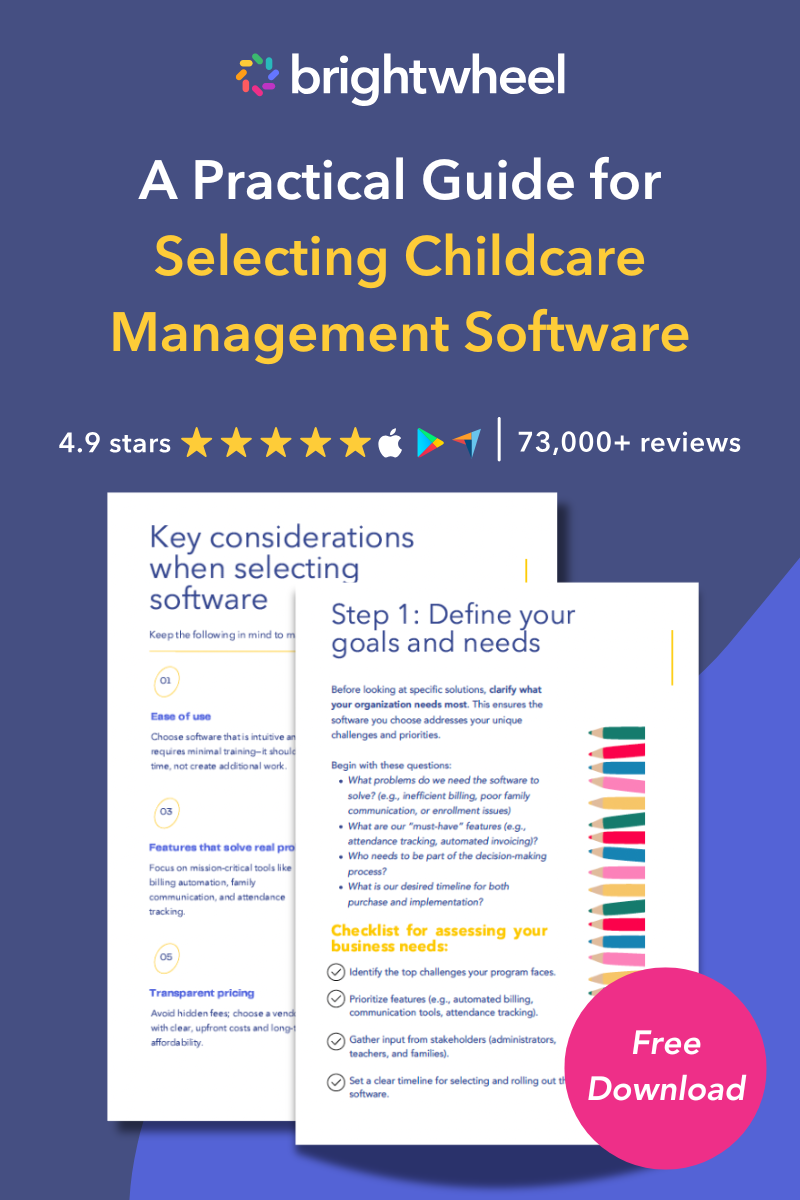
Free Guide for Selecting Childcare Management Software
Download a free guide to simplify your decision-making process and help you choose the best childcare software for your program.
Top preschool software solutions for 2026
The top preschool software options for 2026 include brightwheel for all-in-one and multi-site management, Procare Solutions for complex fee structures, and Lillio for developmental documentation. Selecting the right platform can transform your program’s efficiency.
Brightwheel
Brightwheel is the leading all-in-one childcare management platform trusted by millions of educators and families. It integrates robust billing, admissions, and curriculum into a single, intuitive interface. It is the ideal preschool software for programs of all sizes, and it stands out as the premier choice for multi-site childcare programs that need centralized oversight to scale successfully
- Key features: Real-time messaging, automated billing and bulk invoice management, centralized, multi-site dashboards, digital check-in/out, and comprehensive lesson planning with Experience Curriculum, and staff scheduling.
- Why it wins: Brightwheel offers the highest-rated mobile app for families and administrators, backed by the industry's largest support team. For multi-site programs, brightwheel allows directors to toggle between locations easily, standardize processes, and run aggregated reports across the entire organization without logging in and out of different accounts.
- Best for: Programs of all sizes seeking a single platform that handles every operational function — and multi-site childcare organizations that need centralized control across locations.
 We chose brightwheel when we were evaluating different tools, because it integrates billing, admissions, and a great visual experience for families." — Brandyn B., Co-Founder of Magnolia Forest Preschool in Puget Sound, WA
Procare Solutions
Procare Solutions has served the industry for over 30 years. It is a robust option for providers who need deep customization for complex billing cycles.
- Key features: Hardware kiosk support, compliance tools, and detailed financial reporting.
- Best for: Established childcare centers with complex, multi-rate billing structures that need deep financial reporting and on-site hardware kiosk support for check-in.
Lillio (formerly HiMama)
Lillio takes an educator-first approach, prioritizing child development tracking and classroom management.
- Key features: Digital portfolios, attendance tracking, and customizable daily reports.
- Best for: Programs that prioritize developmental documentation, digital portfolios, and educator-first workflows over billing automation.
Playground
Playground is a modern, streamlined platform that emphasizes ease of use and automated workflows for billing and enrollment.
- Key features: Billing automation, mobile-first design, and digital paperwork.
- Best for: Smaller programs that want a modern, mobile-first platform with straightforward billing automation and minimal setup.
Famly
Famly brings a strong focus on collaboration and learning journeys, facilitating deep connections between educators and families.
- Key features: Observation recording, news feeds, and staffing tools.
- Best for: Programs focused on building family relationships through rich news feeds, learning observations, and collaborative documentation.
LineLeader by ChildcareCRM
LineLeader excels at managing the family journey from the first inquiry to enrollment and retention.
- Key features: CRM integration, automated marketing emails, and waitlist management.
- Best for: Programs actively growing enrollment that need CRM-style lead management, automated follow-up, and waitlist tools.
ChildPilot
ChildPilot focuses on improving operational flows through automation, helping to reduce manual paperwork.
- Key features: Digital check-in, database organization, and communication tools.
- Best for: Programs transitioning away from paper-based workflows that want a simple, low-friction tool for check-in and basic communication.
Daily Connect
Daily Connect is a communication-centric tool that excels at providing detailed daily updates to families.
- Key features: Photo sharing, activity logging, and basic attendance.
- Best for: Childcare programs where family communication is the primary need and billing/admin complexity is low.
What to look for in preschool software
When evaluating preschool software, look for features that improve operational efficiency, automate billing, enhance family communication, and secure your program's data. Prioritize tools that solve your specific administrative bottlenecks.
What billing features should preschool software include?
Preschool software should include automated billing with autopay, payment reminders, and tuition tracking — the features that save the most administrative time and eliminate late payments. Look for a system that lets families set up autopay so payments process automatically, reducing the time directors spend chasing checks. Attendance tracking and staff scheduling integrations are also important for keeping day-to-day operations running smoothly.
How should preschool software support family communication?
The best preschool software includes a dedicated family app with real-time messaging, photo sharing, and digital daily reports — giving families immediate visibility into their child's day without requiring extra work from staff. Families appreciate seeing their child's milestones and daily activities as they happen, rather than waiting for a paper report at pickup.
What learning tools should preschool software include?
Preschool software should include lesson planning tools, developmental milestone tracking, and digital portfolios so teachers can document learning moments and share progress with families from the same platform they use for billing and attendance. This supports your educational mission without adding a separate system for teachers to manage.
How secure does preschool software need to be?
Preschool software should use bank-grade encryption and comply with applicable privacy regulations, since the platform holds sensitive family data, payment information, and children's health records. Ease of use matters equally — a system staff find difficult to navigate will go underused regardless of its features.
How to choose the right preschool software
To choose the right preschool software, identify your program's pain points, evaluate features that solve your manual bottlenecks, and request demos from your top two or three options before committing.
Identify your program's pain points
Many preschool programs struggle with manual processes, so listing your biggest operational challenges will help you prioritize the software features you need most. Here are ten common operational challenges preschool programs face without software:
-
Manual tuition payment tracking: Recording payments by hand leads to errors, missed transactions, and hours spent reconciling accounts each month.
-
Paper-based billing and invoicing: Creating and distributing invoices manually increases administrative burden and delays payment collection.
-
Attendance logging on paper: Daily sign-in sheets create compliance risks and make it difficult to track patterns or generate reports.
-
Schedule management without automation: Coordinating staff schedules, classroom assignments, and substitute coverage becomes increasingly complex as programs grow.
-
Multiple system logins: Jumping between separate platforms for billing, communication, and attendance wastes time and increases the likelihood of data entry mistakes.
-
In-person bank deposits: Physically depositing checks at the bank takes staff away from the classroom and delays payment processing.
-
Manual subsidy tracking: Documenting subsidy eligibility and usage without a centralized system creates compliance challenges during audits.
-
Paper-based staff hour logs: Tracking employee hours manually makes payroll processing more time-consuming and error-prone.
-
Room ratio management on spreadsheets: Maintaining required staff-to-child ratios across classrooms requires constant monitoring that spreadsheets can't streamline.
-
Enrollment and waitlist on paper: Managing prospective families through paper forms and phone calls leads to missed follow-ups and lost enrollment opportunities.
When preschool management software is implemented properly, it alleviates these pain points by centralizing operations in one all-in-one system. This allows administrators to automate repetitive tasks, reduce errors, and focus more time on quality care and family engagement.
Is it difficult to switch to brightwheel?
Switching software can feel like a daunting task, especially when you’re managing multiple locations. At brightwheel, we aim to make this transition as smooth and straightforward as possible.
Our dedicated implementation team will guide you through every step of the process. We offer practical tools and resources designed to simplify migration, including:
- Roster and rate card upload tool: Save time by easily uploading your existing rosters and rate cards into the brightwheel platform. Our tool is designed to handle complex data from multi-site programs, reducing manual entry and potential errors.
- Brightwheel Academy: Get your staff up to speed quickly with our comprehensive training resources. Brightwheel Academy offers on-demand courses and tutorials that cover everything from daily operations to advanced administrative features, ensuring your team feels confident from day one.
With structured support and user-friendly tools, migrating your multi-site childcare program to brightwheel is a manageable process that sets you up for long-term success.
Enrollment is all online on brightwheel. I don't need to chase down families for forms anymore, because I can ensure it's all on file before they start." — Kelly R., Director, Good Shepherd Learning Center · Douglassville, PA
Frequently asked questions
What is the average cost of preschool software?
Pricing varies significantly based on features and program size. Some providers charge a monthly subscription fee (ranging from $50 to $200+), while others may charge per student or take a percentage of tuition transactions. Always ask about setup fees and contract lengths before committing.
Can preschool software help with licensing compliance?
Yes, most platforms help with compliance by digitally storing immunization records, staff certifications, and attendance logs. This makes it easier to produce required documentation during licensing visits.
Can preschool software handle multiple locations?
Yes, advanced preschool software like brightwheel provides a centralized dashboard, allowing you to manage billing, staff, and reporting across multiple sites from a single login. This ensures consistent oversight for growing childcare organizations.
How does childcare software improve staff retention?
Childcare software simplifies daily administrative tasks, reduces paperwork, and offers clear scheduling tools. By removing these operational burdens, educators experience less stress and higher overall job satisfaction.
Is it difficult to switch preschool software providers?
Switching can be seamless if the new vendor offers data migration support and dedicated onboarding specialists. Look for companies that provide tools to transfer family data and get your staff trained before go-live.
What is the difference between preschool software and childcare management software?
The terms refer to the same category of tools. Preschool software typically describes platforms serving children ages 3–5, while childcare management software is the broader term covering infant and toddler rooms, school-age programs, and in-home child care. Most platforms, including brightwheel, serve all program types under both names.
What features do preschool directors use most in childcare software?
Directors most commonly rely on automated billing and payment processing, family messaging, and attendance tracking. Staff scheduling, enrollment management, and daily health checks are also frequently used — particularly in multi-classroom or multi-site programs.
Does preschool software support in-person payments?
The best preschool software lets you collect a payment the moment a parent is standing in front of you, not just after an invoice goes out. Brightwheel's Tap to Pay turns a director's iPhone or Android phone/tablet into a card reader, so a past-due balance, a late fee, or a registration deposit during a tour can be collected in a few taps — no separate card reader to buy or carry.
Does preschool software support CACFP meal tracking?
Yes. Leading preschool software platforms include CACFP tools that log meals by food category, track reimbursable meal counts by age group, and generate the documentation required for Child and Adult Care Food Program reimbursement reporting.
Final thoughts
Choosing the right preschool software is a key step toward reducing administrative work, improving family satisfaction, and supporting your educational goals. The best platform depends on your program's needs, budget, and growth plans, so take time to evaluate options and involve key stakeholders. By adopting technology, your program can focus less on paperwork and more on nurturing children's development and building strong family relationships.
Brightwheel is the top-rated preschool management platform in 2026, combining billing, family communication, attendance, staff scheduling, lesson plans, curriculum assessment, and CACFP tracking in a single all-in-one system — available on web and mobile and trusted by millions of educators and families across the United States.