Childcare management software is a digital platform that helps early education programs manage daily operations—including billing, attendance, family communication, and enrollment—from a single system. Choosing the right platform is one of the most consequential operational decisions a director makes — and one of the least straightforward. This guide covers every major platform on the market, what each does well, and how to find the right fit for your program's size, budget, and priorities.
Key takeaways
- Brightwheel is the top-rated platform (4.9 stars, 155,000+ reviews as of August 2026), best for programs of all sizes seeking an all-in-one solution with strong support.
- Procare excels at complex financial management for established centers with dedicated administrative staff.
- Playground is ideal for programs with high enrollment volume or complex waitlist management needs.
- Program size determines your requirements—a home-based program needs simplicity, while multi-site operations need centralized dashboards and consolidated reporting.
- Total cost of ownership matters more than sticker price—factor in setup fees, per-child overages, payment processing fees, and support tiers.
- Staff adoption determines ROI—prioritize software your teachers will actually use on day one.
- Support quality varies significantly—test response times before you buy, not after.
Before you book a single demo
The childcare software market has grown significantly over the past decade. There are now more capable, purpose-built options than ever — which makes the decision harder, not easier. Before you sit through a single demo, it helps to understand the realities that shape every good software decision:
- Program size matters: Your program size dictates your requirements. A home-based program managing eight children needs simplicity and affordability. A multi-classroom center serving 150 families needs robust billing, staff scheduling, and reporting. The wrong fit in either direction wastes time and money.
- Modern families expect convenience: Families expect digital-first experiences. Real-time photos, in-app messaging, and mobile bill pay are no longer competitive advantages — they're baseline expectations that influence enrollment decisions.
- The real price is rarely listed: Total cost of ownership beats the sticker price. Setup fees, data migration charges, per-child overages, and support tiers can easily double your advertised monthly rate. Always ask for a full 12-month cost projection.
- Staff buy-in shapes outcomes: Teacher adoption determines your return on investment. Even the most capable platform falls short if staff find it confusing or clunky. Prioritize software your teachers will pick up on day one.
- Switching is usually not as disruptive as it feels: Change management concerns keep many programs running on software that no longer serves them well. The hesitation is understandable — migrating records, retraining staff, and timing a cutover around billing cycles all feel like a lot. In practice, most programs complete basic setup within one to two weeks. The right vendor will assign a dedicated implementation specialist, migrate your existing records, and support your team through go-live. The hidden cost is staying on a system that doesn't work, not making the switch.
- Support quality varies more than you'd expect: Live chat, dedicated phone lines, and in-app help sound similar across vendor websites, but the actual experience at 7 PM when a parent can't access their account is very different. Ask vendors directly: What are your support hours? Is phone support included at my plan level? How fast do you actually respond? This matters more than almost any feature.
- Child data security is more variable than the industry acknowledges: Most vendors claim FERPA and COPPA compliance, but the specifics matter. Ask whether the platform offers two-factor authentication, what their data retention policy is, and whether they carry SOC 2 certification. These questions separate platforms that have invested in security from those that check a compliance box.
- Demos should reflect your real day: Demo your real workflows, not the sales deck. Ask vendors to walk through a subsidy billing run, a late pick-up incident report, or a ratio alert mid-day. How those tasks actually work tells you more than any feature list.

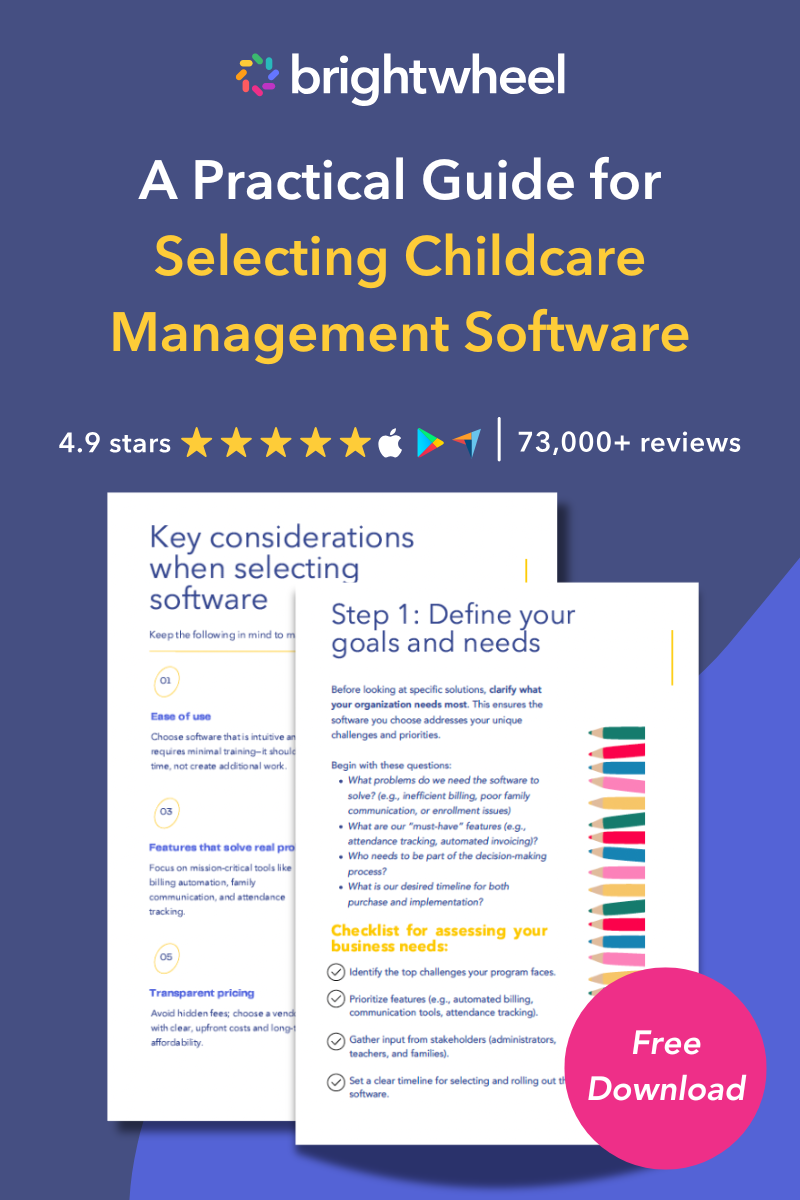
Free Guide for Selecting Childcare Management Software
Download a free guide to simplify your decision-making process and help you choose the best childcare software for your program.
Why the right software transforms childcare operations
Childcare directors manage an extraordinary amount of complexity. In any given hour you might be resolving a billing dispute, responding to a licensing inquiry, covering a classroom gap, and reassuring a nervous parent — all while staying present for the children in your care.
Childcare management software doesn't eliminate that complexity. What it does is automate the predictable parts — invoicing, attendance logging, daily reports, credential reminders — so your team can focus on the irreplaceable parts: nurturing children, building relationships with families, and developing your staff.
Programs that make the switch typically reclaim 20 or more hours per month in administrative time — hours that go back into classrooms and family relationships.
This guide will help you identify which platforms match your center's size, budget, and priorities — and which questions to ask before you commit.
The operational reality of running a childcare program
Before evaluating any software, it helps to map the full scope of what you're asking technology to support:
- Enrollment: applications, waitlists, digital contracts, and onboarding paperwork
- Attendance: daily sign-in/out, ratio tracking, and absence management
- Billing: tuition generation, subsidy tracking, payment processing, and collections
- Family communication: messaging, photo sharing, daily reports, and newsletters
- Staff management: scheduling, time tracking, credential storage, and payroll exports
- Compliance: state licensing documentation, immunization records, and incident reports
- Learning: developmental observations, lesson plans, and curriculum documentation
Software that handles all of these in a single connected system saves your team hours every week. When you rely on separate tools for billing, communication, and attendance, data falls through the cracks and staff spend time on manual re-entry instead of care.
Why 2026 raises the stakes
Three converging trends make software selection more consequential than ever:
1. Family expectations have shifted permanently. Millennial and Gen Z parents — now the core of your enrollment — treat mobile app quality as a proxy for program quality. They compare your family portal to their banking app and their grocery delivery service. Programs that still rely on paper sign-in sheets and emailed newsletters lose families to competitors before the first tour.
2. State compliance requirements are going digital. State licensing agencies increasingly require or strongly prefer electronic record submission for subsidy programs, quality rating systems, and health and safety inspections. Software that generates correctly formatted reports cuts submission time and reduces rejection rates.
3. Staffing pressure makes efficiency non-negotiable. With child care facing ongoing workforce shortages, administrative burden falls disproportionately on directors and lead teachers. Every hour your team reclaims from manual data entry is an hour available for mentoring staff, supporting curriculum, or being present in classrooms.
Quick reference: Platform comparison
If you're evaluating multiple platforms, start here. The table below gives you a quick reference across the platforms covered in this guide — how they're priced, who they serve best, and where each one tends to stand out. It's meant to orient you, not replace a real evaluation. The ratings reflect the depth of each platform's overall capability set; the detailed breakdowns that follow explain the reasoning behind them.
|
Platform |
Best for |
Billing & invoicing |
Capterra rating* (out of 5 stars) |
Key strength |
|
Brightwheel |
All program sizes |
Full — invoicing, autopay, subsidy, split families |
Ease of use and all-in-one |
|
|
Procare |
Complex financial needs |
Full — deep financial reporting |
4.6 (2,809 reviews) |
Financial management |
|
Kangarootime |
Small to mid-size centers |
Full — automated invoicing and autopay |
Billing automation |
|
|
Lillio |
Basic needs |
Basic billing |
Simplicity |
|
|
Playground |
Enrollment focus |
Full — recurring billing |
4.8 (194 reviews) |
Enrollment and waitlist |
|
LineLeader |
Multi-location |
Basic — CRM focus |
Marketing and CRM |
|
|
Tadpoles |
Small and home care |
Basic — secondary to communication features |
4.4 (83 reviews) |
Parent engagement |
*Billing and invoicing reflects our assessment of capability depth; Capterra ratings are external, as of September 4, 2026. Review volume varies enormously across these platforms — from more than 3,600 down to fewer than 100. That matters when you compare scores. A 4.8 built on 194 reviews and a 4.7 built on 3,257 aren't the same kind of evidence. Where sample sizes are small, a handful of reviews can move the average meaningfully. It's also worth knowing that many reviews on these listings — across every platform here, brightwheel included — are vendor-referred or incentivized, which Capterra labels on each individual review.
Each platform listed above gets a full breakdown below, including who it fits best, what it does well, and where it has limitations. If one or two rows already caught your attention, jump ahead — the vendor sections are written to stand on their own.
The features that actually move the needle
Not all feature lists deliver equal value. Here's what separates genuinely useful capabilities from items that simply check a box.
Family engagement and communication
How families experience your software is the most visible part of your technology investment. Look for:
- Two-way in-app messaging between teachers and caregivers, with read receipts
- Real-time photo and video sharing with child-level privacy controls
- Automated daily activity reports covering meals, sleep, diaper changes, and learning moments
- Push notifications that reach families where they are — on their phones
- Broadcast announcements for closures, reminders, and events
- Digital forms for permission slips, health updates, and emergency contact changes
💡 Tip: Ask vendors how teachers post photos mid-activity. If it takes more than three taps, it probably won't happen consistently.
💡 Tip: Test the customer support before you buy. Brightwheel's support team — the largest in early education — delivers live chat responses in under one minute with a 97% customer satisfaction rating. That's the benchmark to measure other vendors against.
Billing and tuition management
Billing is where operational efficiency translates directly into financial health. Strong billing tools should include:
- Automated tuition invoicing based on enrollment schedules and rate tables
- Multiple payment methods: ACH, credit/debit cards, and digital wallets
- Automatic application of sibling discounts, credits, and late fees
- Subsidy and voucher management with agency billing support
- Recurring payment setup with configurable billing cycles
- A family-facing payment portal with statement history
- Real-time accounts receivable reporting
One often-overlooked factor: how the software handles partial payments and balance rollovers. These edge cases reveal system quality faster than any demo.
Enrollment and waitlist management
Programs often lose prospective families between initial inquiry and the first day of care simply because follow-up is manual and inconsistent. Look for:
- Online enrollment applications with digital signature support
- Waitlist management with automated priority and age-based notifications
- Lead tracking so no inquiry falls through the cracks
- Digital document collection for immunization records, custody agreements, and health forms
- Room assignment based on age, capacity, and licensing ratios
Attendance tracking and check-in
Accurate attendance records are foundational to both compliance and billing. Modern systems should support:
- Contactless check-in via QR codes, key fobs, or parent mobile app
- Tablet-based kiosks at entry points with photo verification
- Real-time ratio dashboards visible to directors from any device
- Automated absence notifications when expected children don't arrive
- Integration between attendance data and billing, so unplanned absences trigger the right billing adjustments
Staff management and scheduling
Giving staff tools that respect their time supports retention and reduces burnout. Essential features include:
- Drag-and-drop schedule builder with ratio-aware room assignments
- Digital time clock with geofencing or PIN verification
- Payroll export to common HR and payroll platforms
- Certification and credential storage with expiration alerts
- Time-off request management and coverage gap alerts
- Professional development hours tracking for licensing requirements
⚠️ Watch out: Some platforms charge extra for payroll export or require a premium tier for staff scheduling. Clarify this before signing.
Compliance reporting and data security
State licensing compliance shapes the long-term health of your program. Your software should:
- Generate state-specific reports for subsidy programs, child-to-staff ratios, and health records
- Store and retrieve immunization records, allergy information, and medical action plans
- Produce CACFP-compatible meal documentation if your program participates in food programs
- Maintain detailed audit logs showing who accessed or modified records
- Comply with FERPA and COPPA for child data protection
- Offer role-based permissions so staff see only what they need
On security: Brightwheel offers two-factor authentication — a standard in banking and healthcare that childcare software has historically lacked. It's worth asking any vendor you evaluate whether they offer it.
Learning documentation and curriculum
For programs working toward quality rating and improvement system (QRIS) goals, developmental documentation matters as much as billing. Look for:
- Observation tools that link to developmental frameworks such as Creative Curriculum and HighScope
- Portfolio building for individual children across developmental domains
- Lesson planning templates with standards alignment
- Sharing of learning moments with families directly from the classroom app
Integrations and open architecture
Your software shouldn't operate in isolation. Key integrations to evaluate include:
- Accounting: QuickBooks and Xero
- Payroll: ADP, Gusto, and Paychex
- State subsidy portals: availability varies by state — confirm your state is supported
- Open API access for custom integrations
Top childcare management software platforms for 2026
Here's a comparison of the leading platforms in the market, what they do well, and who they serve best.
Brightwheel
Brightwheel is rated the #1 childcare management software based on external reviews — 4.9 stars across more than 155,000 reviews — and is trusted by early education programs of all sizes, from family child care homes to large multi-site operations.
The platform was designed to scale. Directors managing a single classroom and operators running twenty locations use the same platform, with centralized billing, consolidated reporting, and consistent family experience across every site. Enterprise-grade infrastructure means brightwheel handles the complexity of large programs — variable subsidy billing, multi-site staff scheduling, organization-level dashboards, and location-level customization — without requiring a dedicated IT team to manage it.
The platform brings family engagement, billing, enrollment, learning documentation, and staff management together in a single app. Directors get real-time visibility across every aspect of operations from a clean, intuitive dashboard. 95% of administrators and staff report that brightwheel improves communication with families, and 90% of programs report that more families pay on time after switching.
Brightwheel has the largest support team in the early education industry, with live chat response times under one minute and a 97% customer satisfaction rating. Support is included at all plan levels — not locked behind a premium tier.
The platform runs on 99.9% uptime with 24/7 monitoring, and offers two-factor authentication for enhanced account security. Brightwheel serves every program size with an all-inclusive monthly payment.
 We chose brightwheel when we were evaluating different tools, because it integrates billing, admissions, and a great visual experience for families." Brandyn B., Co-Founder of Magnolia Forest Preschool in Puget Sound, WA
Procare Solutions
Procare is a long-established name in childcare software, with particular strength in financial management for established centers. The platform handles complex billing scenarios including variable tuition rates, subsidy billing, and multi-rate structures.
Procare's desktop-focused interface is familiar to administrative staff who spend significant time on center management tasks. A mobile app supports family communication and classroom use. Phone and email support helps centers navigate the platform's extensive feature set.
Good fit for: Centers with dedicated administrative staff who are comfortable with a traditional interface and have complex financial management needs.
Playground
Playground focuses on streamlining enrollment and administrative workflows, with strong features for waitlist management and room assignment. The platform also covers billing and attendance basics, with automation that reduces manual data entry.
Good fit for: Centers that experience high enrollment volume or complex waitlist management and want to consolidate administrative workflows.
Kangarootime
Kangarootime offers a combination of parent-facing features and operational management tools. The platform supports automated billing, online payment processing, and basic staff scheduling. Its interface works well for small to midsize centers.
Good fit for: Small to midsize childcare programs that need core billing and parent communication tools.
LineLeader
LineLeader combines enrollment CRM capabilities with operational management tools. The platform helps organizations manage lead follow-up, marketing outreach, and center operations within a single system.
Good fit for: Larger single-location centers and multi-site operators with dedicated marketing or enrollment staff.
Lillio (formerly HiMama)
Lillio offers a focused set of features covering attendance, billing, parent communication, and basic reporting. The platform emphasizes simplicity, which shortens the learning curve for programs new to digital management tools.
Good fit for: Programs with straightforward operational needs that aren't looking for advanced customization or deep financial management capabilities.
Tadpoles
Tadpoles centers its design around parent engagement — daily activity updates, photos, and developmental communications. Administrative capabilities including attendance and billing are available but are secondary to the communication experience.
Good fit for: Programs where family engagement is the primary priority and administrative complexity is low.
Matching software to your program size and budget
The platform that works well for a 300-child network will frustrate a family child care provider — and vice versa. Use this framework to anchor your evaluation.
Family child care homes (1–12 children)
Your priorities are ease of use, affordability, and parent communication. You likely don't have dedicated office staff — you're the director, teacher, and administrator simultaneously.
Look for a mobile-first platform that handles invoicing, messaging, and daily reports without requiring desktop access. Free or low-cost entry tiers are available from several providers.
Good options: Brightwheel (free plan available with paid upgrades), Tadpoles (parent communication focus), and Lillio (simple and straightforward).
Small programs (1–3 classrooms, 13–60 children)
Your priorities are reliable billing, solid parent communication, and time savings for a small administrative team. You're often juggling teaching and managing simultaneously.
Look for a platform that automates tuition collection, sends daily activity reports, and doesn't require significant IT expertise to maintain. Support quality matters here because you won't have time to troubleshoot.
Good options: Brightwheel (strong billing and communication combination), Procare (if financial complexity is high), and Kangarootime (a reasonable balance of features for this size).
Medium programs (4–10 classrooms, 61–100 children)
Your priorities are operational efficiency, compliance reporting, and family experience at scale. At this size, manual processes become genuinely unsustainable.
Look for deep billing and subsidy capabilities, ratio monitoring, staff credential tracking, and a parent app that families actually use. Integration with payroll and accounting becomes important here.
Good options: Brightwheel (handles this scale well with full feature access), Procare (strong financial management), and Playground (if enrollment management is a priority).
Large programs and multi-site operations (100+ children or multiple locations)
Your priorities are centralized visibility, a consistent family experience across locations, enterprise billing, and scalable staff management.
Look for multi-site dashboards, consolidated reporting, centralized billing with location-level customization, and a family app that works consistently regardless of which building a child attends.
Good options: Brightwheel (built to scale from one site to many), LineLeader (strong enrollment CRM for multi-site marketing), and Procare (enterprise billing depth).
How we evaluated these platforms
This guide evaluates childcare management software based on the following criteria:
- User reviews: We analyzed ratings and feedback from Capterra, G2, and GetApp, weighting platforms with larger review volumes more heavily. Ratings cited in this guide were pulled from Capterra product listings on September 4, 2026, using overall rating and total review count. We re-check these quarterly.
- Feature depth: We assessed capabilities across seven core categories: billing, attendance, family communication, enrollment, staff management, compliance, and learning documentation.
- Program size fit: We evaluated how well each platform serves different program sizes, from home-based providers to multi-site operations.
- Support quality: We considered published support hours, response times, and whether phone support is included at standard pricing tiers.
- Security and compliance: We reviewed each platform's stated compliance with FERPA, COPPA, and availability of features like two-factor authentication and SOC 2 certification.
Brightwheel is included as one of several options; we encourage readers to evaluate all platforms that fit their needs.
How to run a thorough software evaluation
A rushed software decision can cost your program thousands of dollars and months of staff frustration. Use this process to evaluate options with confidence.
Step 1: Define your must-haves before you talk to anyone
Write down the three to five things your current system absolutely cannot do — or the three to five hours your team loses every week to manual work. These are your non-negotiables. Any platform that doesn't solve these problems isn't the right fit, regardless of price.
Step 2: Run demos on your real workflows
Don't let vendors control the demo entirely. Bring a list of your specific scenarios:
- "Show me how you handle a family on CCAP subsidy with a copay"
- "Show me how a teacher posts three photos and a nap note mid-morning"
- "Show me how I add a new staff member and set their classroom permissions"
- "Show me the ratio alert when a teacher clocks out and we drop below ratio"
How a vendor handles these requests tells you whether the software actually fits your day.
Step 3: Talk to current customers in similar programs
Ask every vendor for three references from programs similar to yours in size and type. Ask those references: What took longer than expected in implementation? What do your teachers find challenging? What would you change?
Step 4: Calculate the true 12-month cost
Build a complete cost picture before comparing options:
- Monthly subscription at your current enrollment
- Setup and onboarding fees
- Data migration costs
- Per-transaction payment processing fees
- Cost of any add-on modules you'll need
- Training costs for staff
- Projected cost at 20% enrollment growth
Step 5: Test the support experience
Chat with the support team before you buy. Email a technical question. See how quickly you get a real answer. Support quality at 8 PM on a Tuesday — when a parent can't access their account before a field trip — matters more than features you'll use once a year.
Vendor questions cheat sheet
|
Category |
Questions to ask every vendor |
|
Pricing |
What's the total cost including setup, training, and support? Does pricing increase as enrollment grows? |
|
Implementation |
How long does onboarding take? Do you assign a dedicated implementation specialist? |
|
Data migration |
Can you import our existing child and family records? What formats do you accept? |
|
Support |
What are your support hours? Is phone support included at my plan level? |
|
Compliance |
Does your system meet my state's licensing report requirements? How often are those updated? |
|
Security |
Are you FERPA and COPPA compliant? Do you carry SOC 2 certification? |
|
Integrations |
Does your system connect with QuickBooks, ADP, or other tools we already use? |
|
Mobile |
Can parents complete enrollment entirely on their phone? Can teachers work offline? |
|
In-person payments |
Can staff collect a payment directly from an admin's phone or tablet, or do you need to buy a separate card reader? |
Red flags to watch for during evaluation
Not all red flags show up in demos. Here's what to look out for:
- Pricing opacity: Vague answers about pricing tiers. If a vendor can't clearly explain what's included at each price point, the features you need are likely in the most expensive tier.
- Slow implementation: Long implementation timelines. Implementation should not take months. If onboarding takes longer than 30 days, ask why.
- Manual payroll workflows: No native payroll export. Requiring manual data re-entry for payroll is a sign of an outdated system. Current platforms export directly.
- Hardware-dependent in-person payments: If collecting a payment in person requires buying and carrying a separate card reader, factor that cost in; some platforms, including brightwheel, now support tap-to-pay directly from an admin's phone or tablet.
- Fragmented family experience: Parents need a separate login for every location. Multi-site families should have one unified account.
- Support tiers: Customer support is behind a paywall. Basic support should be included. If you need to pay extra for phone access, that's worth noting.
- Static compliance reporting: No mention of compliance updates. Regulations change. Ask how the vendor handles state-specific report changes and whether updates are included.
Switching software: What to expect and how to plan
Switching childcare software takes effort, but staying on a system that doesn't serve your program costs more in the long run. Here's how to plan a smooth transition:
Before you switch
- Export all child records, family contact information, and billing history in a common format such as CSV or Excel
- Document every custom billing rule, discount, and rate structure currently in your system
- Inventory your compliance documents and confirm the new system can store the same file types
- Identify your go-live date and work backward to build a realistic implementation timeline
During implementation
- Assign a point person internally who owns the transition (this can't be a shared responsibility)
- Run both systems in parallel for at least two billing cycles before fully cutting over
- Train teachers on the family communication and attendance features first — these have the fastest visible impact
- Create a family communication plan explaining the transition, the new app, and what families need to do
After go-live
- Schedule a 30-day check-in with your vendor's implementation team
- Survey your staff: what's working, what's confusing?
- Survey your families: did they successfully download the app and set up billing?
- Calculate the hours your team is saving compared to the previous system
Frequently asked questions about childcare management software
These are the questions childcare directors and families ask most often when evaluating management platforms.
What is childcare management software?
Childcare management software is a digital platform that helps childcare providers run their daily operations. It typically includes tools for attendance tracking, tuition billing, family communication, enrollment management, staff scheduling, and compliance reporting — all within a single system rather than separate spreadsheets and apps.
How much does childcare management software cost?
Pricing varies widely. Some platforms charge an all-inclusive monthly fee that keeps pricing predictable. Some platforms charge a per-child, per-month fee ranging from approximately $1 to $5 per child. Additional costs to budget for include setup fees, payment processing fees (usually 2–3% per transaction), and premium support tiers. Always request a 12-month total cost projection at your current enrollment and at projected growth.
What's included in brightwheel's pricing plan?
Brightwheel offers an all-inclusive monthly payment with flexible pricing plans to fit different budgets and program sizes. Your subscription includes a comprehensive set of tools to help your program grow and thrive. Core features include cloud-based billing, unlimited staff and parent accounts, mobile app access, admissions, secure check-in and check-out, messaging and communication tools, lesson planning, and more—all backed by enterprise-grade data security and dedicated customer support. You can also explore optional add-ons, like Experience Curriculum, to support your program. Request pricing information to explore how brightwheel can benefit your program.
What's the difference between brightwheel, Procare, and other platforms?
Brightwheel is rated #1 in childcare software with 4.9 stars across more than 155,000 reviews. It's designed for ease of use and a modern family experience, with strong capabilities across billing, communication, enrollment, learning, and staff management — all in a single app. It also offers two-factor authentication and has the largest customer support team in the industry, with live chat response times under one minute.
Procare is the longest-established name in the category with deep roots in financial management for programs with complex billing needs. Kangarootime and Lillio serve smaller programs looking for simpler tools. Playground focuses on enrollment management. LineLeader targets multi-site operators who need enrollment CRM. The right choice depends on your program size, feature priorities, and the level of administrative complexity you manage.
Can parents use childcare management software on their phones?
Yes — most modern platforms include a parent-facing mobile app available on both iOS and Android. Families can typically check their child in, view photos and daily activity reports, send messages to teachers, pay tuition, and update contact information directly from their phone. The quality of the parent app varies significantly by platform, so testing it directly is a good idea during your evaluation.
Is childcare management software FERPA compliant?
Most reputable childcare platforms are FERPA compliant, though the depth of compliance varies. Childcare software operates primarily under FERPA (Family Educational Rights and Privacy Act) and COPPA (Children's Online Privacy Protection Act) rather than HIPAA, since HIPAA covers healthcare providers specifically. Reputable platforms also comply with state-specific data privacy requirements and use encrypted data storage and transmission. Ask any vendor directly about their compliance certifications, data retention policies, and whether they hold SOC 2 certification.
How long does it take to implement childcare management software?
Most programs complete basic setup within one to two weeks. Implementation timelines depend on program size and how much historical data you need to migrate. Most programs complete basic setup — classrooms configured, families enrolled, billing active — within one to two weeks. Full implementation including learning documentation, staff scheduling, and subsidy billing may take four to six weeks. Programs with complex billing structures or large historical records may need more time.
What features should I prioritize for a small childcare center?
For small programs and in-home providers, prioritize ease of use above all else. Reliable tuition billing that runs automatically, a parent app families enjoy using, and responsive customer support will deliver more value than advanced features you don't have time to configure. As your program grows, you can add enrollment management, learning documentation, and more detailed reporting.
Making the right decision for your program
The childcare software landscape in 2026 offers more capable options than ever before. Whether you run an in-home program looking for a simple, affordable tool or a multi-site organization managing complex operations, there's a platform designed for your needs.
Brightwheel has 4.9 stars across 155,000+ reviews on the App Store, Google Play, and Capterra as of August 2026. It earns a 97% customer satisfaction rating from its support team, runs on 99.9% uptime with 24/7 monitoring, and includes two-factor authentication to protect family data. That reputation is grounded in real outcomes: 90% of programs report more families paying on time, and 95% of staff say communication with families improves after switching.
That said, the right software is the one your team will actually use consistently. A platform with excellent support and an intuitive interface outperforms a feature-heavy system that staff avoid because it's too complicated.
Here's a quick summary based on common program profiles:
- Family child care homes and small centers: Brightwheel (full-featured with a free starting tier) and Tadpoles (parent engagement focus)
- Growing small to medium centers needing billing and communication: Brightwheel and Procare
- Medium to large programs with complex compliance needs: Brightwheel and Procare
- Multi-site operations: Brightwheel and LineLeader
- Enrollment-focused programs: Playground and LineLeader
Your next step is a 30-minute demo with your top two choices, built around your real workflows — not theirs. Bring your billing scenarios, your ratio situations, and your most skeptical teacher. Their reaction after 20 minutes will tell you more than any feature list.
About this guide
This guide was researched and written by the brightwheel content team using publicly available information about each platform, user reviews from Capterra, G2, and GetApp, and input from childcare directors across program types. Platforms were selected for inclusion based on market presence and relevance to early education programs. Brightwheel is included as one of several options; we encourage readers to evaluate all options that fit their needs.