
What payments are due during back-to-school season
Back-to-school season tends to bundle a few different payments into a short window:
- A first tuition payment — sometimes prorated if the child is starting mid-month.
- A supply or materials fee — covering classroom supplies for the year.
- A deposit — particularly for families enrolling close to the start of the school year.
- Activity or field trip fees — covering special events and transportation/entry tickets for field trips planned throughout the school calendar.
- Facility or building fees — fees going toward building upkeep, playground safety updates, or facility modifications.
- Disaster/emergency preparedness fee — a small fee to fund or refresh emergency supplies or kits kept on-site.
Any one of these is simple to collect on its own. The challenge is that during back-to-school season, a program may collect multiple payments from dozens of families within the same one- or two-week window.
Why this creates a payment bottleneck for childcare programs
Most of the year, in-person payment collection is spread out—a past-due balance here, a late pickup fee there. Back-to-school season is different because so many families are enrolling at the same time, often before they've had a chance to set up an online account or add a saved payment method. If the only options are a mailed check, an invoice sent home, or asking a family to log into an app on the spot, admin staff end up chasing down payments for weeks after the year has already started.
How Tap to Pay simplifies back-to-school payments
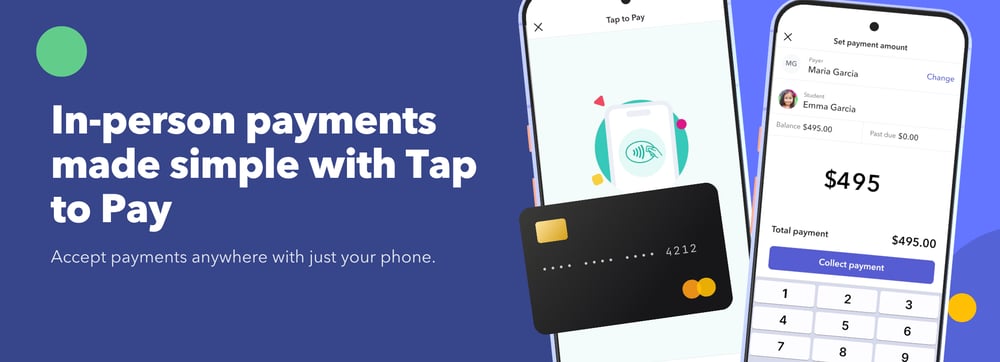
Because Tap to Pay works directly from an admin's phone or tablet, a childcare program can collect fees the moment a family arrives—at orientation, on a walk-through, or at drop-off on the first day—without any of that follow-up. If your program hosts a new family orientation day, that's often the single best moment to collect these payments in one visit rather than spreading the collection process out over several weeks.
The family doesn't need a saved payment method or the app installed in advance—they only need to be listed as a payer on the child's account, and they can tap a card or digital wallet directly on the admin's phone or tablet to complete the payment.
Common back-to-school payment challenges Tap to Pay solves
- The family hasn't set up an online account yet. Tap to Pay only requires that they're listed as a payer—not that they've logged in or added a payment method.
- Multiple children enrolling from the same family. A payer linked to more than one child can pay for all of them in a single transaction, or apply payment to just one.
- A family wants to pay with an FSA card. Tap to Pay accepts FSA cards alongside standard credit and debit cards.
- A last-minute supply fee comes up at drop-off. Rather than adding it to the next invoice, it can be collected immediately.
It's also worth building payment expectations into how you communicate with families from the start. If you're already setting clear expectations with families around drop-off procedures and communication at the start of the year, adding a line about how and when back-to-school payments are collected saves confusion later.
Back-to-school season is also a good time to reset the rest of your program — see our back-to-school cleaning guide for childcare programs for a facility deep-clean checklist alongside your payment prep. For more on how Tap to Pay works, see What Is Tap to Pay for Childcare Centers? or get started with the Tap to Pay setup guide.

Free Childcare Billing Guide
Download this free guide to streamline your childcare billing processes and save time.
Frequently asked questions
Can I collect fees for the new school year before a family has set up an online account?
Yes. The family only needs to be listed as a payer on the child's account—they don't need a saved payment method or an active online account to pay in person with Tap to Pay.
Can I collect payment for multiple children enrolling at the same time?
Yes. If one payer is linked to more than one child, you can collect a single payment covering all of them, or apply the payment to just one.
Can a family pay with an FSA card?
Yes. Tap to Pay accepts FSA cards in addition to standard credit and debit cards, along with Apple Pay and Google Pay.
Do families need to do anything in advance to pay in person?
No. They don't need the app installed or a payment method saved ahead of time—they just tap their card or digital wallet on the admin's device when it's time to pay.
Is Tap to Pay only useful during back-to-school season?
No. It's useful year-round for any in-person payment—a past-due balance at pickup, a late fee, or a deposit during a tour—but back-to-school season is when the volume of in-person payments tends to be highest.


