The early childhood education landscape has evolved dramatically, thanks to tools like preschool management software. Gone are the days of relying on paper forms, phone calls, and filing cabinets—today’s preschool leaders use advanced platforms to streamline every aspect of their operations.
This transformation goes beyond digitization; it’s revolutionizing how preschools operate, connect with families, and deliver quality education. With solutions like brightwheel preschool management software, administrators can tackle daily challenges like managing state regulations, communicating with families, and supporting diverse learning needs, creating more efficient and nurturing environments.
1. Save time with operational efficiency
One of the most compelling reasons to adopt a preschool management software is the significant amount of administrative time it saves. By automating routine tasks, directors and staff can reclaim valuable hours to focus on curriculum development and interacting with children.
Streamlined administrative tasks
The day-to-day responsibilities in a preschool can add up quickly—from enrollment paperwork to attendance tracking and compliance documentation. Brightwheel preschool management software is designed to simplify these processes by making them digital and automated.
- Easily enroll new students and manage forms online, saving time and reducing errors.
- Centralize parent contacts, emergency details, and required documents in one place.
- Use automated attendance features to eliminate manual check-ins and free up staff for what matters most.
Many centers find that a quality preschool management software can immediately cut down on paperwork.
Simplified billing and payments
Managing finances is often one of the most time-consuming tasks for preschool administrators. Brightwheel preschool management software makes tuition billing, payments, and reminders simple and reliable.
- Automatically generate and send invoices to families based on each child’s schedule.
- Enable online and autopay options, making it easier for families to pay on time.
- Track payments, overdue accounts, and financial records in real time.
According to data from a survey of thousands of early education professionals, 90% of preschools report families pay on time with brightwheel.
 95% of families are on track with their payments, thanks to brightwheel! Before, it was really bad. Parents love that they can see exactly how much they owe, right on their phones.” Munisha M, Director at Excelsior University for Children in Seabrook, TX
Staff coordination made easy
Keeping track of staff scheduling, qualifications, and communication can be complex—especially for growing programs. Brightwheel software brings these details together in a single platform.
- Manage schedules, time-off requests, and certifications in a digital dashboard.
- Maintain up-to-date teacher-to-child ratios by monitoring staff assignments in real time.
- Streamline internal communication so everyone is informed and connected.
With preschool management software, administrators spend less time on scheduling logistics and more time building a positive team culture and supporting classrooms.
2. Build stronger connections with families
Family engagement is fundamental to a child's success and a program's reputation. The right software can bridge the communication gap between school and home, building a stronger community.
Real-time communication
Strong family connections are at the heart of every successful preschool. Preschool management software, like brightwheel, makes it easier than ever to keep families informed and engaged. Teachers can instantly share updates, photos, and learning milestones with families, giving them a window into their child’s day no matter where they are.
- Receive real-time notifications when children arrive at school, participate in special activities, or reach important milestones.
- Share engaging classroom moments, fostering a sense of connection and trust between staff and families.
With brightwheel preschool management software, staying in touch becomes a seamless part of the daily routine.
Transparent daily reporting
Families appreciate clear and consistent information about their child’s experiences. Preschool management software enables teachers to provide detailed daily reports on meals, naps, learning activities, and more—all in one organized, digital format.
- Send parents a summary of their child’s day, including what they ate, how they slept, and what they learned.
- Make ongoing developmental assessments easier and more accurate with digital records instead of scattered paper notes.
- Give parents confidence that they’re always in the loop, even on the busiest days.
Brightwheel preschool management software helps families stay updated, informed, and confident in the care their children receive.
Brightwheel gets an A+ for parent satisfaction. A huge piece families love is how brightwheel brings them into the room. We get so many compliments." Marc H, Owner at A Strong Start Early Care and Education in Trumbull, CT
Event management
Organizing events like field trips or parent-teacher conferences becomes much simpler with a centralized system. Administrators can send invitations, collect permissions, and track RSVPs all in one place, reducing administrative effort while boosting family participation.
By bringing all event communications into brightwheel preschool management software, administrators create a more organized and inclusive experience for families.
3. Ensure compliance and safety
Meeting state licensing regulations and maintaining a safe environment are top priorities. A robust preschool management software is an invaluable tool for staying organized and compliant.
Organized documentation
With brightwheel preschool management software, administrators can keep all staff certifications, training records, and background checks in one secure place.
When it’s time for an inspection, finding important documents is fast and stress-free—no more digging through paper files. Many programs find that having organized digital records not only saves time but also makes licensing visits more efficient and less stressful.

Childcare Licensing Inspection Checklist
A free checklist to prepare your program for a surprise childcare licensing inspection.
Enhanced safety protocols
Technology strengthens safety measures. Preschool management software like brightwheel offers secure digital check-ins, tracks who is authorized for pick-up, and makes it easy to report incidents right away.
Keeping detailed health records—such as allergies and emergency contacts—means staff can respond quickly when it matters most. This digital approach helps ensure everyone’s safety and gives families peace of mind.
Simplified regulatory reporting
Regulatory reporting can be complex, but brightwheel preschool management software streamlines the process. The platform automatically pulls data from daily operations to generate reports on enrollment, staff qualifications, and program activities. This automation reduces the risk of manual errors and helps administrators provide accurate, up-to-date information to licensing agencies with minimal effort.
4. Improve educational quality
Beyond administration, technology can also serve as a powerful tool to support teachers and enhance learning experiences in the classroom.
Lesson planning and assessment
Brightwheel’s lesson planning and assessment tools enable educators to create tailored, high-quality learning experiences. The platform makes it easy to design, organize, and personalize lesson plans that align with learning standards and adapt to each child’s progress.
With pre-loaded state learning standards and easy-to-use assessment features, teachers can track development milestones and ensure every child is on the right path. Brightwheel streamlines the planning process, giving educators more time to focus on what matters most—engaging and supporting their students.
Digital portfolios
With brightwheel, teachers can easily collect photos, work samples, and observations in one place. These digital records are simple to update and share, making parent-teacher conferences and classroom transitions smoother. Families enjoy real-time insights into their child’s progress, fostering deeper engagement in their learning journey.
Personalized learning support
By using a tool like brightwheel preschool software, teachers can easily document observations and track individual children's strengths and areas for growth. This data helps them tailor their teaching strategies to better meet the unique needs of each child.
5. Make data-driven decisions
Effective leadership involves making informed decisions. The right software provides the data you need to run your program more strategically.
Operational insights
Modern preschool management platforms provide administrators with detailed analytics about their operations. These insights help identify trends in enrollment, track staff efficiency, and optimize resource allocation.
For example, attendance data might reveal patterns that inform staffing decisions, while family
satisfaction surveys can highlight areas for program improvement. Financial analytics help administrators understand revenue trends and make informed budgeting decisions.
Educational insights
Data collection tools help administrators assess the effectiveness of their educational programs. By tracking children's progress across different learning domains, administrators can identify successful teaching strategies and areas where additional professional development might benefit staff.
Family engagement metrics
Understanding how families interact with your communications can help you refine your engagement strategies. Tracking metrics like message response rates or event participation can highlight what's working well and where there are opportunities for improvement.
How much does preschool management software cost?
Most preschool management platforms do not publish prices and instead require a quote request, so direct price comparison isn't possible without contacting each vendor. The more useful comparison is how each one charges and what its base price includes, because two quotes with similar headline figures can differ substantially once add-ons and processing fees are counted.
Common pricing models in childcare software
| Pricing model | How it works | What to watch for |
|---|---|---|
| Per child, per month | Price scales with enrollment | Cost rises as you grow; confirm whether inactive or waitlisted children count |
| Per site, by enrollment band | Flat monthly fee within an enrollment range | Crossing a band boundary can cause a step change in cost |
| Per module | Base platform plus separately priced add-ons | Parent communication and billing are commonly add-ons; the bundled total can be well above the quoted base |
| Per user | Price scales with staff accounts | Can penalize programs with many part-time staff |
| Bundled subscription | One fee covers the full feature set | Confirm what sits outside the bundle, such as curriculum or processing fees |
Brightwheel uses a bundled subscription: billing, family communication, attendance, and lesson planning are included rather than priced as separate modules. See what's included in brightwheel Premium.
Costs beyond the subscription fee
Four costs frequently sit outside a quoted subscription price. Ask about each directly:
- Standard service fees on credit card, ACH, and check tuition payments — universal on platforms that handle billing, but rates vary.
- Implementation or setup fees — some vendors charge for onboarding and data migration; others don't, and some will negotiate.
- Curriculum — usually priced separately, especially when physical materials are shipped.
- Add-on modules — parent communication, payroll, and enrollment tools are add-ons on some platforms and included on others.
Questions to ask every vendor before comparing quotes
- Is the price per child, per site, per user, or a flat subscription?
- Which features in your demo are included in the base price, and which are add-ons?
- Is there a setup, onboarding, or data-migration fee — and is it negotiable?
- What are the credit card and ACH fees?
- Is the agreement monthly or annual, and what are the renewal and cancellation terms?
- Does the price change if enrollment or staff count grows mid-term?
- Are staff and family accounts unlimited, or capped?
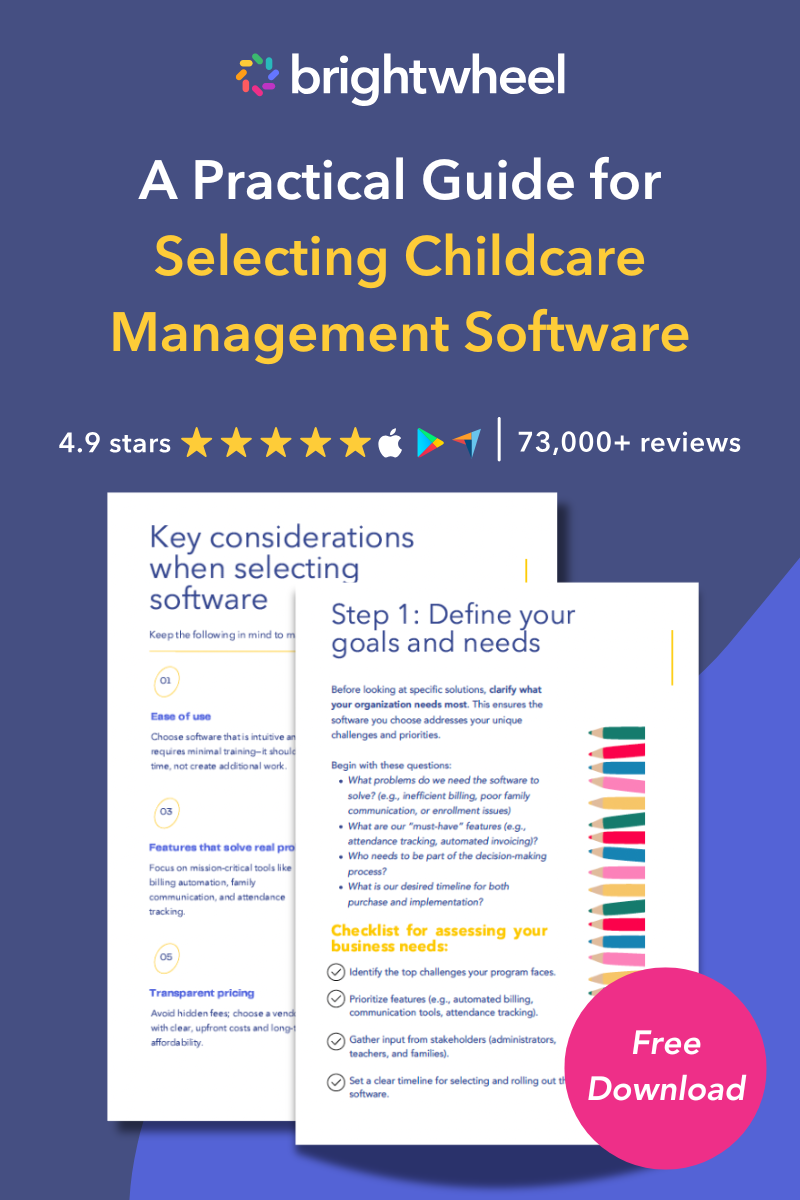
For a fuller framework on matching software to your program's specific pain points, see how to choose childcare management software.
Overcome implementation challenges
Implementing new systems or tools can feel overwhelming, but with the right approach, these challenges can be efficiently managed to ensure a seamless transition.
Staff training and adoption
Successfully introducing preschool management software, including platforms like brightwheel, depends on thoughtful staff training and a supportive transition process. It's common for educators and administrators to feel unsure about adopting new technology, especially if their routines have relied on traditional methods for years.
To make this shift smoother:
- Roll out new features in stages, allowing staff to learn and adjust at a comfortable pace
- Offer hands-on training sessions that focus on practical, daily tasks within the brightwheel preschool app or other preschool management software
- Provide ongoing support so staff can get help quickly when questions arise
- Establish peer mentoring, letting tech-savvy team members help others build confidence
Brightwheel has the industry’s largest support team and will ensure that you get quick answers through live chat whenever you need them (response times are less than 1 minute!). You also get access to guided training through brightwheel Academy, a comprehensive learning tool to help you, your staff, and families master using brightwheel.
Privacy and security considerations
Handling sensitive information—like family contact details, payment information, health data, and staff records—comes with serious responsibility. When using preschool management software, choose providers who clearly explain how they protect your data and comply with privacy regulations.
Prioritize systems that offer secure data encryption and give you control over user permissions, ensuring that privacy remains a top priority at every step.
Frequently asked questions
Q: Why don't childcare software companies publish their prices?
A: Pricing depends on factors specific to each program, so most vendors quote individually rather than publishing a list price. As of 2026, major platforms including brightwheel, Procare, Playground, and Illumine all route pricing requests to a quote or demo form. Third-party review sites sometimes list figures, but these are frequently years out of date.
Q: Is free preschool management software worth using?
A: Free plans work for very small programs with simple needs. They typically cap the number of staff and children and exclude billing automation, messaging, forms, and support. Some vendors also offer free access through state-funded partnerships, which are time-limited — confirm what happens to your cost when a partnership ends.
Q: Does preschool management software actually save money?
A: For most programs the return comes from two places: administrative hours recovered from manual billing, attendance, and reporting, and improved on-time tuition collection from automated invoicing and autopay. Programs replacing several standalone tools also consolidate subscription costs. Payback depends on your current manual workload and staff wage rates — see where the savings come from and how to estimate yours.
Q: How long is a typical childcare software contract?
A: Terms vary from month-to-month to annual, and some vendors discount annual prepayment. Because terms are set during the quote conversation rather than published, confirm length, renewal behavior, and cancellation terms in writing before signing.
Conclusion
Investing in preschool management software is more than just a technology upgrade; it's a strategic decision that can transform your center. By saving time, strengthening family connections, ensuring compliance, and supporting educational quality, these platforms enable you to run a more efficient and effective program.
The benefits allow you and your staff to dedicate more energy to your ultimate mission: nurturing the growth and development of young learners.